

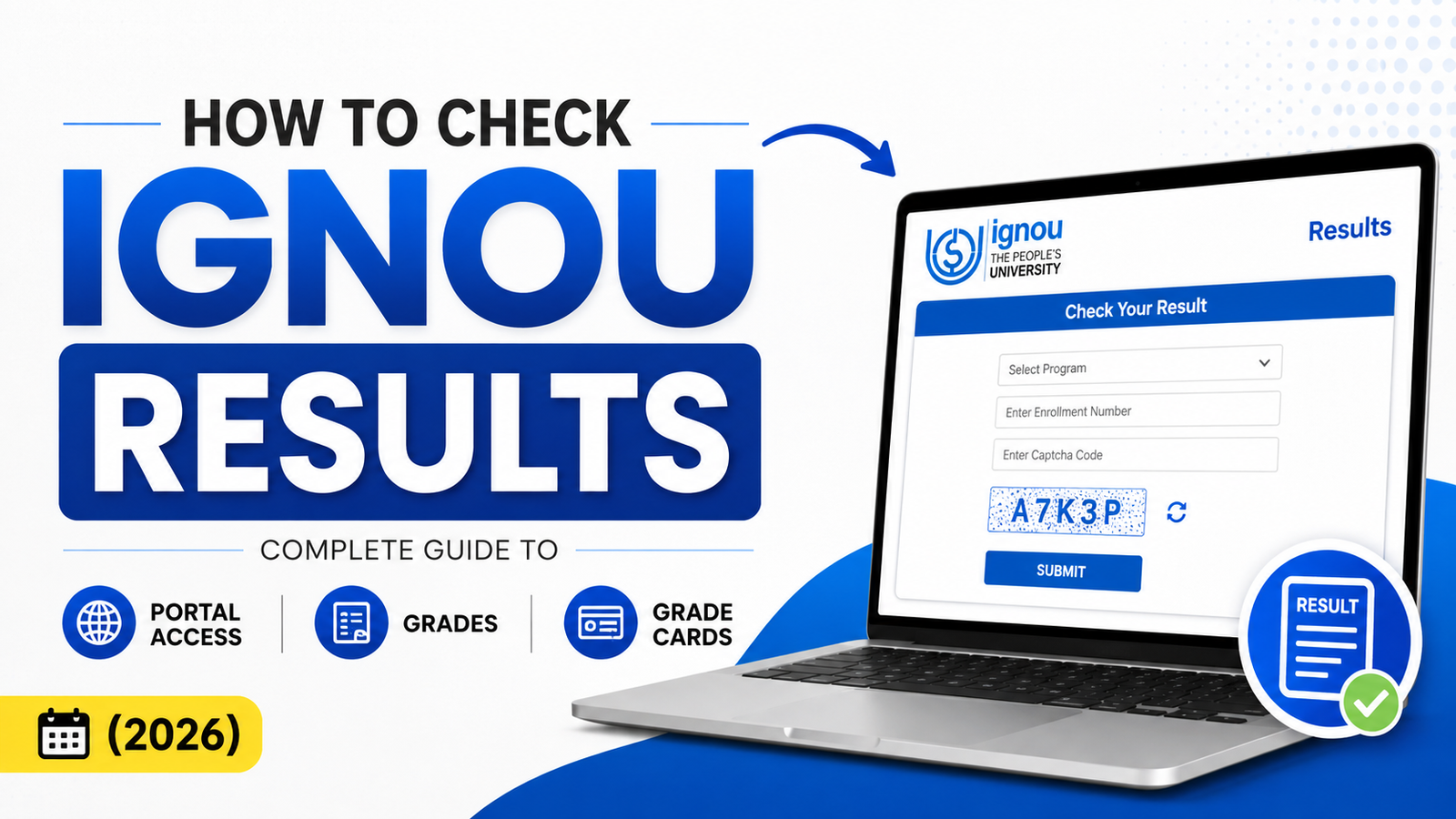
Check Your IGNOU Results in 60 Seconds
Quick Steps to Check Results on IGNOU Samarth Portal:
- Visit samarth.ignou.ac.in (official IGNOU student portal)
- Log in with enrollment number and password
- Navigate to Academic → Results (or Exam Results)
- Select your course code
- View your letter grade (A, B, C, D, E, or F)
- Download official Grade Card from Grade Card section for job/study applications
Typical Timeline: Results appear 2-4 weeks after exam completion for exam-based courses, or 9-10 weeks after assignment submission for assignment-only assessment.
Why IGNOU Results Declaration Creates Anxiety
Waiting for IGNOU results is stressful. You completed your exam or submitted assignments, and now you're stuck in the waiting period wondering:
Official Study Materials & Solved Assignments
- When will IGNOU declare my results?
- How long should I realistically wait?
- Why are some results visible but not mine?
- Will I pass or fail this course?
- Where do I download the official Grade Card?
The uncertainty can last anywhere from 2-10 weeks depending on your course type. This guide eliminates confusion about IGNOU results checking, helps you understand what to expect, and shows you exactly where to find your grades.
Understanding IGNOU Result Types: Assignment-Based vs Exam-Based
IGNOU uses two distinct assessment methods, and each has a different results declaration timeline. Understanding which type applies to your course is critical.
Type 1: Assignment-Based Results (No Final Exam)
What it covers: Grades determined entirely by assignment evaluation, with no final exam component.
Which courses: Many BA, MA, and B.Ed programs use assignment-only assessment. Check your course handbook to confirm.
Results Timeline:
- You submit assignment to your regional center
- Teacher evaluates and grades your work
- Assignment Status shows "Marks Updated"
- Assignment marks = your final grade (converted from percentage to letter grade)
- Total wait time: 9-10 weeks from submission to results visibility
How to check: First verify Assignment Status updates, then check Results section for your final grade.
Grade calculation: Your assignment mark is directly converted to a letter grade (usually out of 100 marks).
Type 2: Exam-Based Results (Theory/Practical Exam)
What it covers: Grades based on your final examination performance, which may include theory exams, practical exams, or vivas.
Which courses: Most IGNOU programs include exam components. Your course handbook specifies exam dates.
Exam Schedule:
- December Session: Examinations held in June, results declared July-August
- June Session: Examinations held in December, results declared January-February
Results Timeline:
- Scheduled exam date occurs
- Results declared within 2-4 weeks of exam
- Grade Card becomes available 24-48 hours after results declaration
- Total wait time: 3-5 weeks from exam date to official grade
How to check: Results section in Samarth portal (separate from Assignment Status).
Grade calculation:
- Theory exam: typically 70-80% of total marks
- Assignment component: typically 20-30% of total marks
- Final grade = Weighted combination of both components
Step-by-Step Guide: How to Check Your IGNOU Results
Step 1: Log Into IGNOU Samarth Portal
Primary Method (Recommended):
- Open samarth.ignou.ac.in in your browser
- Enter your IGNOU enrollment number (printed on your admit card)
- Enter your password (set during registration)
- Click "Login"
Backup Method (If Samarth is Down):
- Go to student.ignou.ac.in (legacy student portal)
- Use same enrollment number and password
- Login via backup portal
Pro Tip: Clear your browser cache if you have login issues. Use Chrome, Firefox, or Safari for best compatibility.
Step 2: Navigate to Results Section in Samarth
Once logged in:
- Click "Academic" in the left sidebar menu
- Select "Results" or "Exam Results" option
- The system displays your complete course list
- Courses are organized by semester or session
Alternative navigation path: Some users find results under "My Academics" → "Results & Grades" depending on portal version.
Step 3: Find Your Specific Course & View Grade
In the Results list, you'll see:
- Course Code (e.g., BEG-101, EPS-101, IGNOU-BA-ENG-101)
- Course Title (full name of the course)
- Your Letter Grade (A, B, C, D, E, or F)
- Marks obtained (shown as percentage or out of 100)
- Result Status (Pass/Fail)
Click on any course to expand and see detailed result information.
Step 4: Understand Your Detailed Result Information
When you click into a specific course result, the portal shows:
- Theory Exam Marks: Your final exam score (if exam-based course)
- Assignment Marks: Your graded assignment score (if included)
- Final Grade: Official letter grade (A, B, C, D, E, or F)
- Pass/Fail Status: Clear indication of whether you passed
- Official Declaration Date: When the result was formally declared
- Credits Earned: Number of credits awarded (only if you passed)
Save or screenshot this page for your records.
Step 5: What to Do If Results Haven't Declared Yet
If you see "Awaiting Results," "Result Pending," or nothing displays:
This is normal. Results declaration takes time.
Standard waiting periods:
- Exam held in June → Expect results by early August
- Exam held in December → Expect results by mid-February
- Assignment submitted → Expect results 9-10 weeks later
What to do:
- Set a phone reminder for 2-4 weeks after your exam
- Check back periodically (avoid checking obsessively daily)
- Contact your regional center if timeline significantly exceeds expected window
- Verify on IGNOU's official website that results have been declared (check announcement section)
IGNOU Letter Grades Explained: What A, B, C, D, E, F Really Mean
Each letter grade represents a specific percentage range and determines pass/fail status. Here's the official breakdown:
| Letter Grade | Percentage Range | Qualification Level | What It Means |
|---|---|---|---|
| A | 70-100% | Excellent | Outstanding performance |
| B | 60-69% | Very Good | Strong understanding demonstrated |
| C | 50-59% | Good | Satisfactory competency |
| D | 40-49% | Average | Basic understanding achieved |
| E | 35-39% | Minimum Pass | Barely passed (minimum threshold) |
| F | 0-34% | Fail | Did not meet passing standard |
Critical Points About IGNOU Grades:
- E grade = Still a Pass: Minimum passing threshold is 35%. An E grade counts toward your degree completion.
- F grade = Retake Required: Below 35% is automatic failure. You must retake the course and pass before moving forward.
- All passing grades count toward degree: A, B, C, D, and E grades all contribute to your final qualification.
- F grade doesn't contribute: Failed courses must be retaken. The previous F grade is replaced by the new attempt.
Real-World Grade Examples:
- Scored 68% = Grade B (Very Good performance, clear pass)
- Scored 42% = Grade D (Average but you passed, can move forward)
- Scored 32% = Grade F (Failed, must retake this course)
- Scored 55% = Grade C (Good performance, satisfactory pass)
CGPA in IGNOU: Understanding Your Cumulative Grade Point Average
CGPA (Cumulative Grade Point Average) is your overall average grade across all courses completed at IGNOU. This single number reflects your overall academic performance and is used for degree classification.
IGNOU CGPA Scale:
| CGPA Range | Classification | Degree Qualification |
|---|---|---|
| 3.5-4.0 | Excellent | Highest distinction |
| 3.0-3.49 | Very Good | Higher Second Class |
| 2.5-2.99 | Good | Second Class |
| 2.0-2.49 | Average | Pass |
| Below 2.0 | Minimum Pass | Lowest passing qualification |
How IGNOU Calculates Your CGPA:
CGPA Formula:
-
Each grade is assigned a point value:
- A = 4.0 points
- B = 3.5 points
- C = 3.0 points
- D = 2.5 points
- E = 2.0 points
- F = 0 points
-
Multiply each grade point by the course's credit value
-
Add all total points
-
Divide by total credits attempted
-
Result = Your CGPA
CGPA Calculation Example:
Course 1: A grade (4.0 points) × 4 credits = 16 points
Course 2: B grade (3.5 points) × 4 credits = 14 points
Course 3: C grade (3.0 points) × 4 credits = 12 points

Total Points: 16 + 14 + 12 = 42 points
Total Credits: 4 + 4 + 4 = 12 credits

Your CGPA = 42 ÷ 12 = 3.5 (Very Good Classification)
Where Your CGPA Matters:
- Job applications: Employers review CGPA during recruitment
- Scholarship eligibility: Many scholarships require minimum CGPA thresholds
- Admission to further studies: Master's programs may require minimum CGPA
- Government exams: Some competitive exams list CGPA requirements
- Professional certifications: Certain professional courses require CGPA verification
IGNOU Results Declaration Timeline: When to Expect Your Grades
Understanding the realistic timeline reduces anxiety. Here's what to expect:
For June Exam Session:
June 2026: Exams conducted across all centers
     ↓ (Wait 2-4 weeks)
July-August 2026: Results officially declared by IGNOU
     ↓ (Wait 24-48 hours for portal sync)
August 2026: Grade Card becomes available for download
For December Exam Session:
December 2025: Exams conducted across all centers
     ↓ (Wait 2-4 weeks)
January-February 2026: Results officially declared by IGNOU
     ↓ (Wait 24-48 hours for portal sync)
February 2026: Grade Card becomes available for download
For Assignment-Only Courses (No Exam):
You submit assignment to regional center
     ↓ (Wait 9-10 weeks for teacher evaluation)
Teacher grades your assignment
     ↓ (Wait 2-3 days for system sync)
Results visible in Samarth portal
     ↓ (Wait 24-48 hours)
Grade Card available for download
Important Note About Batch Declarations:
IGNOU often declares results in batches rather than all at once. This means:
- Course A results might be declared in Week 1
- Course B results might be declared in Week 3
- This is completely normal
Don't panic if you see results for some courses but not others. Check back periodically—your remaining courses will appear soon.
Results Section vs Grade Card: Critical Differences
Students often get confused because there are TWO places where grades appear, and they serve different purposes. Here's what's different:
| Aspect | Results Section | Official Grade Card |
|---|---|---|
| What it is | Working grades displayed in portal | Formal academic record document |
| Portal Location | Academic → Results | Academic → Grade Card |
| Timing | Appears immediately after declaration | Available 24-48 hours after results |
| Format | Portal display only | PDF downloadable document |
| Official Status | For personal reference only | Official university record |
| Download Option | Usually cannot download | Yes—PDF format with university seal |
| Courses Included | Recent/current semester | All courses ever attempted at IGNOU |
| Employer Acceptance | Not accepted for official purposes | ✅ Always accepted |
| Usage | Quick self-check | Job applications, further studies, visa |
| Validity | Changes with re-evaluation | Permanent official record |
Bottom Line:
- Results section = Quick informal check for yourself
- Grade Card = Official document needed for jobs, further education, and legal purposes
Action: After results declare, always download and save your official Grade Card as PDF. Print multiple copies and keep them safe—you'll need it many times throughout your career.
When Results Show But Assignment Status Still Doesn't: System Sync Delays
This common situation confuses many students. Here's what's actually happening:
The Scenario:
Your Results section shows "Marks Updated" or displays a grade, but your Assignment Status still shows "Pending Review" or "Under Evaluation."
Why This Happens:
The assignment evaluation and results systems update on different schedules. They don't synchronize instantly.
Typical Update Timeline:
Teacher grades your assignment → Assignment Status updates FIRST
     ↓ (Wait 24-48 hours)
System processes marks → Results section updates SECOND
     ↓ (Wait another 24 hours)
Grade Card generation → Official Grade Card updates LAST
What You Should Do:
Wait 2-3 days. All systems eventually synchronize. There's nothing wrong with your account.
If you're still seeing discrepancies after 72 hours, contact your regional center with:
- Your enrollment number
- Course code
- Screenshots of what you're seeing
What If Your IGNOU Result Is Lower Than Expected?
You're staring at your result thinking, "This can't be right. I did better than this."
Here's how to handle it:
Option 1: Double-Check Your Own Calculation
First, verify your math:
- Theory exam: Re-read the question paper. Did you actually answer what was asked, or did you misinterpret?
- Marks counting: Did you correctly add up your marks from each section?
- Assignment grading: Review assignment instructions. Did you miss evaluation criteria?
Reality check: Most students' optimistic self-assessments don't match actual performance. The marks are usually accurate.
Option 2: Request Official Re-Evaluation (Formal Process)
If you genuinely believe there's a grading error:
Timeframe: You have 30 days from results declaration to request re-evaluation.
What to do:
-
Email your teacher/course evaluator with:
- Course code
- Your enrollment number
- Specific question(s) where you believe marks are incorrect
- Your detailed explanation of why you deserve additional marks
- Any supporting documents (if you kept your answer sheet copy)
-
Teacher will review your request
-
Possible outcomes:
- Original marks confirmed (most common—90-95% of requests)
- Marks increased if genuine error found
- Your result updated in the system
Timeline: Usually 1-2 weeks for response
Success Rate: Low—approximately 5-10% of re-evaluation requests result in mark increases. Only pursue if you have a legitimate error to point out.
Important: Don't request re-evaluation out of frustration. Only do this if you can specifically identify an actual grading error.
Option 3: Retake the Course to Improve Your Grade
If you failed (F grade) or want a better CGPA:
Process:
- Enroll in the same course during next offered session
- Complete the course again
- New grade replaces old grade in most cases
- Your CGPA improves with higher new grade
Cost: You pay full course fees again
Worth it? Only if you failed or need significantly better CGPA for job/further studies.
Different IGNOU Programs Have Slightly Different Grading Systems
Not all IGNOU programs use identical grading:
- BA, B.Sc., B.Com: Standard grading A-F with 35% passing threshold
- MA, M.Sc., M.Com: May have different percentage ranges (e.g., 40% passing threshold)
- B.Ed, M.Ed: Sometimes convert 90-100 as A, 80-89 as B, etc.
- BCA, M.Tech: Often use different credit point calculations
Action: Check your program handbook or contact your regional center to confirm the exact grading scale for your specific program.
Troubleshooting: Problems With IGNOU Results
Problem 1: Results Show for Some Courses but Not Others
Likely reasons:
- Some results have been declared; others still pending (normal)
- A prerequisite course blocks the display of another course result
- Your course has a re-evaluation in progress
- Portal sync delay hasn't completed
Solutions:
- Wait 3-7 days for remaining courses to appear
- Contact regional center and ask if prerequisite course is blocking results
- Ask if any re-evaluation is pending
- Check official IGNOU announcement for complete declaration date
Problem 2: Can't Download Grade Card Even After Results Declared
Likely reasons:
- Grade Card hasn't finalized yet (wait 48 hours)
- Browser issue or cache problem
- Portal experiencing temporary downtime
- Authentication issue
Solutions:
- Wait 24-48 hours and try again
- Clear browser cache: Settings → Clear browsing data → Cache
- Try different browser (Chrome, Firefox, Safari)
- Try incognito/private browsing mode
- Logout completely, close browser, re-login
- Contact IGNOU support if issue persists
Problem 3: Results Were Declared Officially but Don't See Them in Portal
Likely reasons:
- System sync delay (can take 24-48 hours after official declaration)
- Looking at wrong semester/session
- Not logged into correct account
- Enrollment number error
Solutions:
- Clear browser cache completely
- Logout from portal
- Close browser completely
- Re-open and login fresh
- Verify you're checking the correct semester
- Double-check enrollment number is correct
- Visit IGNOU official website and verify results were actually declared
- Wait 48 hours then check again
- Contact regional center if still not visible
Frequently Asked Questions About IGNOU Results
Q: Can my results change after they've been officially declared? A: Only if you successfully request re-evaluation and the teacher finds an error and adjusts marks. Otherwise, results are locked and final.
Q: I don't see my results even though they were supposed to be declared. What should I do? A: First, check after 48 hours (account for system sync delays). If still missing, verify on IGNOU's website that results were actually declared for your course. Contact your regional center—they can confirm whether results were officially declared.
Q: Do I need to do anything to "claim" or "activate" my results? A: No action needed. Results appear automatically in your portal once officially declared. No special steps required on your end.
Q: How do I know which courses I passed and which I failed? A: Check each course individually. If any shows F grade—you failed that course and must retake it. All other grades (A, B, C, D, E) = pass.
Q: Can I request to see my exam answer sheet to understand why I got those marks? A: IGNOU doesn't provide individual answer sheet copies to students. You can only see your final grade and marks. You cannot see what you answered wrong or how marks were distributed per question.
Q: Are my IGNOU results final, or can they change later? A: Final unless you request re-evaluation within 30 days. Results cannot change arbitrarily after time passes.
Q: How long is my Grade Card valid for job applications? A: Grade Card is valid forever—it doesn't expire. However, if more than 2-3 years have passed, employers may ask you to provide it with your resume as proof. It remains an official document regardless of age.
Q: If I retake a course, will both grades appear on my Grade Card? A: Usually the new grade completely replaces the old one. Some institutions show both with a note indicating the newer grade is official. Contact your regional center for clarification on IGNOU's specific policy.
Q: Can I download my Grade Card immediately after results are declared? A: Not immediately. Wait 24-48 hours. The system needs time to generate and finalize the official Grade Card document. Trying to download too soon may result in errors or incomplete documents.
Next Steps After Checking Your IGNOU Results
If You Passed (Grades A, B, C, D, or E):
✅ Congratulations! You've successfully completed the course.
✅ Download your official Grade Card from Academic → Grade Card section
✅ Save multiple copies (digital and printed) for future reference
✅ Move forward to next course in your program
Read next: [How to Understand Your IGNOU Grade Card for Job Applications]
If You Failed (Grade F):
❌ You must retake this course to complete your program
❌ Contact your regional center about retaking options and next available session
❌ Plan your retake for the next semester when the course is offered
❌ Review previous mistakes to prepare better for the retake
Read next: [How to Improve Your Grades: Guide to Retaking IGNOU Courses]
If You're Still Waiting for Results:
⏳ Set a phone reminder for 2-4 weeks after your exam/assignment submission
⏳ Check back periodically (avoid obsessively checking daily)
⏳ Don't stress. Results will be declared according to official timeline
⏳ Verify declaration date on IGNOU's official website announcements
How to Download Your Official IGNOU Grade Card
Once results are declared and the system has synced (minimum 48 hours):
Steps:
- Login to Samarth portal (samarth.ignou.ac.in)
- Navigate to Academic menu
- Click Grade Card
- Click Download PDF
- Save the file to your device
- Print copies and store safely
Recommendation: Print and keep 3-4 copies. You'll need your Grade Card multiple times for:
- Job applications
- Further study admissions
- Visa applications (if studying abroad)
- Professional certifications
- Government competitive exams
- Employer verification
Important: Never throw away your Grade Card. Keep copies throughout your career—it's a permanent academic record.
Related Guides to Read Next
Once you've checked your results, these guides help you use them effectively:
- How to Check IGNOU Assignment Status — Understand assignment marks before they appear in results
- How to Interpret Your Grade Card for Job Applications — Convert IGNOU grades to percentages employers want
- IGNOU Grade Card Complete Guide — Official record document explained
- How to Retake Courses & Improve Your CGPA — Complete guide if you failed or want better grades
- Best Study Strategies for IGNOU Courses — Improve grades before exam
Final Takeaway: You've Got This
Checking IGNOU results is straightforward once you know where to look. Remember:
- Results take 2-4 weeks for exam courses, 9-10 weeks for assignment courses
- Check Samarth portal first for immediate access
- Download Grade Card within 48 hours of results appearing
- E grade is passing—minimum passing is 35%
- F grade requires retake—but you can do it next session
- Your CGPA matters—for jobs, further studies, and scholarships
Results are coming. The waiting period is stressful but temporary. Once declared, you'll have a clear picture of your academic standing and can plan your next steps confidently.
Keep checking the portal, stay patient, and know that your results will be declared according to IGNOU's official schedule.
Have questions about checking your IGNOU results? Comment below or contact your regional center directly. Share this guide with other IGNOU students who might find it helpful.
Related: IGNOU Assignment Status
Related: IGNOU Marksheet Not Received? Here’s Why It’s Delayed and How to Get It
Related: How to Check Your YCMOU Exam Results: A Simple Step-by-Step Guide
Related: IGNOU BCOMF
Related: IGNOU BSCFFSQM
Related: IGNOU BAFSM Program Guide: Solved Assignments, Notes & Exam Prep
Related: IGNOU BAM
Related: IGNOU Bachelor of Social Work
Related: IGNOU BSCM