

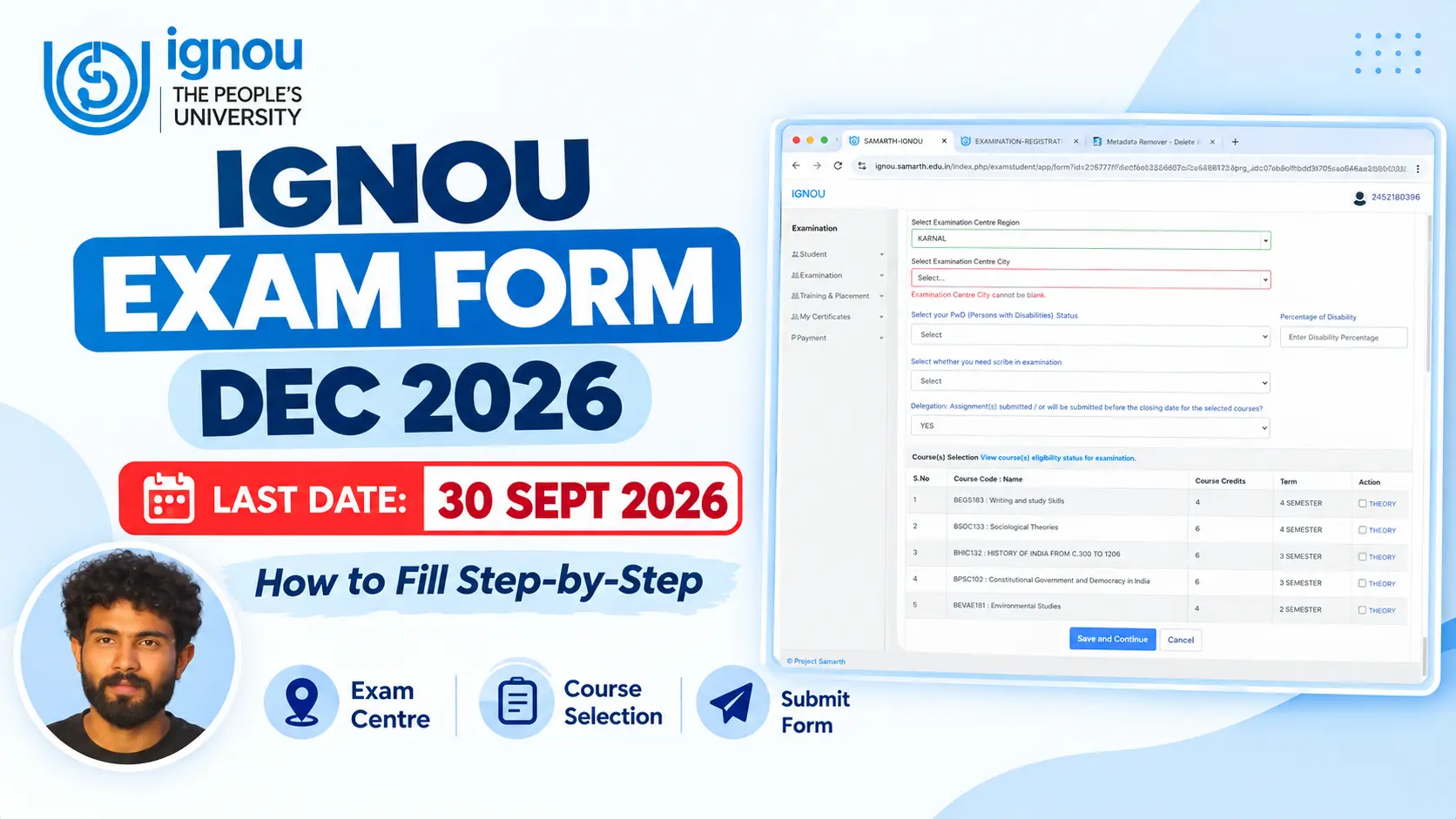
Filling your ignou exam form is one of those tasks that feels overwhelming but is actually pretty straightforward once you know what you're doing. Getting this right matters because missing a deadline or making a careless mistake could mean you can't appear in your exams at all. So let's walk through this together, step by step.
Official Study Materials & Solved Assignments
Why This Guide Matters
Here's the thing — IGNOU gets thousands of exam applications every semester, and the university has built their system to be fairly simple and efficient. But there are still plenty of students who either miss deadlines, select the wrong exam centers, or make last-minute payment mistakes. This guide is here to make sure you're not one of them.
The Important Dates You Need to Remember
First things first: mark these dates in your calendar because they matter.
📌 IGNOU December 2026 Exam Form — Quick Highlights
Portal Live
| Last Date (Without Late Fee): | 27 October 2026 (6:00 PM) |
| Last Date (With ₹1,100 Late Fee): | 03 November 2026 (6:00 PM) |
| Examination Fee: | ₹200 per theory / practical course |
| Official Portal: | exam.ignou.ac.in |
| Hall Ticket (Admit Card) Release: | Last week of November 2026 |
The exam form for Dec 2026 opens on September 15th. From that date, you can start filling and submitting your form. Now here's where most students get it wrong — they think they have all the time in the world. The deadline to submit without any late fees is October 20th, 2026 at 6 PM. This is the golden window. After this date, if you still want to apply, you can, but you'll have to pay an extra late fee of Rs. 1,100 on top of your regular exam fee. The late submission window stays open until October 27th.
Your actual exams will start on Dec 2nd, and your admit card will be released about 7 to 10 days before the exams begin. So somewhere around late May, you should expect to download your admit card from the portal.
Here's a pro tip that many students ignore: don't wait until October 19th to fill your form. Fill it at least 2-3 days before the deadline. Why? Because the internet can be slow, payments can get stuck, and technical issues can happen. Give yourself a cushion.
Getting Started: Where to Go
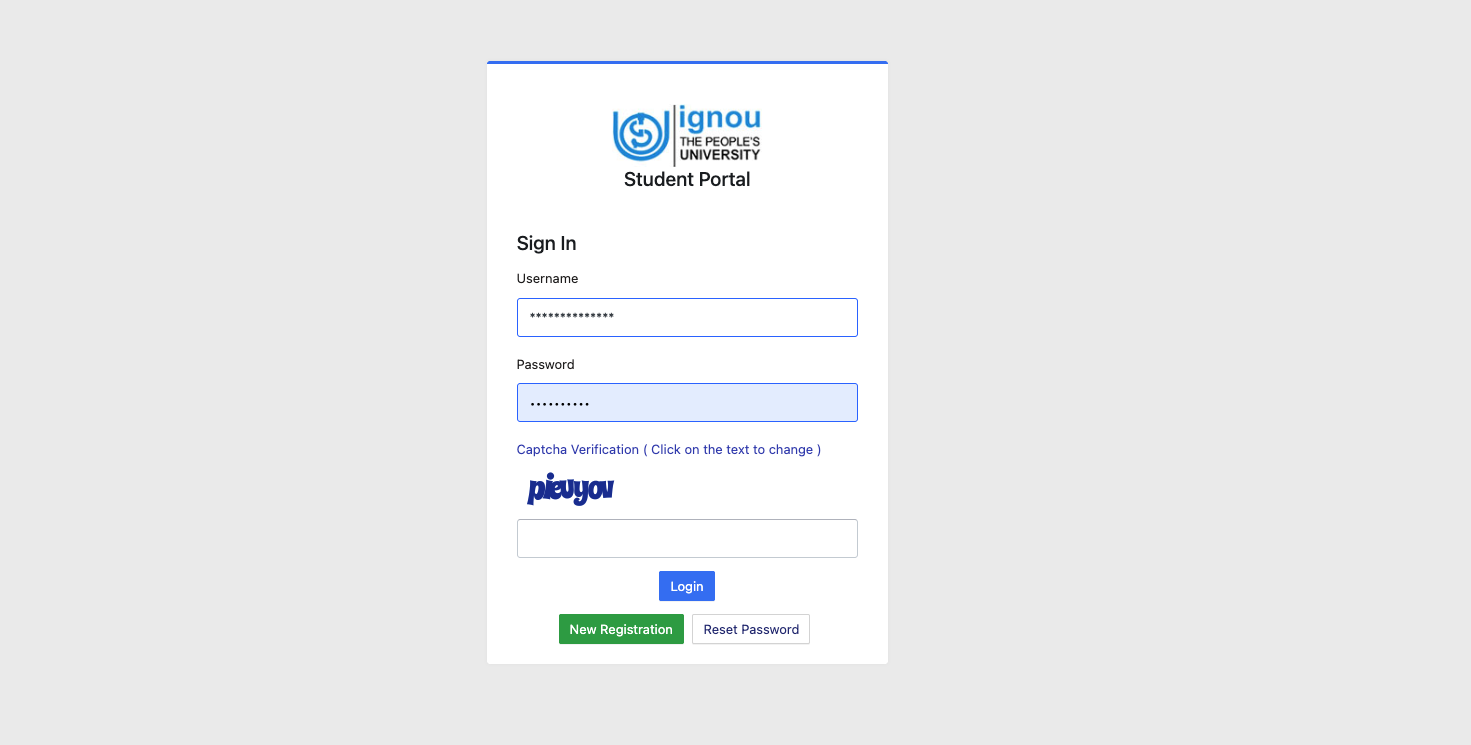
Open your browser and go to https://exam.ignou.ac.in/ This is important — make sure you're going to the exam portal, not the general IGNOU website. There are sometimes fake websites out there trying to catch students, so double-check the URL. Also, make sure you have a decent internet connection before you start. Close all those random tabs you have open and give yourself a solid 30 minutes to complete this process without distractions.
When you land on the portal, you'll see some instructions and guidelines. Yes, I know, nobody likes reading instructions, but IGNOU's instructions actually matter here. They'll tell you about course selection rules, how exam centers are allocated, and what documents you might need. Most importantly, they'll remind you that once you submit your courses, you cannot change them. This is actually critical information, so read it.
Logging In: Your Enrollment Number is Your Key
After reading through the instructions, you'll see a button that says something like "Proceed to fill the examination form" or "Online submission of examination form for Dec 2026 TEE." Click on that button.
Now you need to log in. You'll need your 9-digit IGNOU enrollment number, which you can find on your admission letter or registration certificate. You'll also need your password — the one you created when you first enrolled. If you've forgotten your password (and let's be honest, a lot of students do), don't panic. There's a "Forgot Password?" option. Click on it, and IGNOU will send a reset link to your registered email. Just make sure your email address is still active and that you check your spam folder if you don't see the email in a few minutes.
Selecting Your Courses: This Part Matters
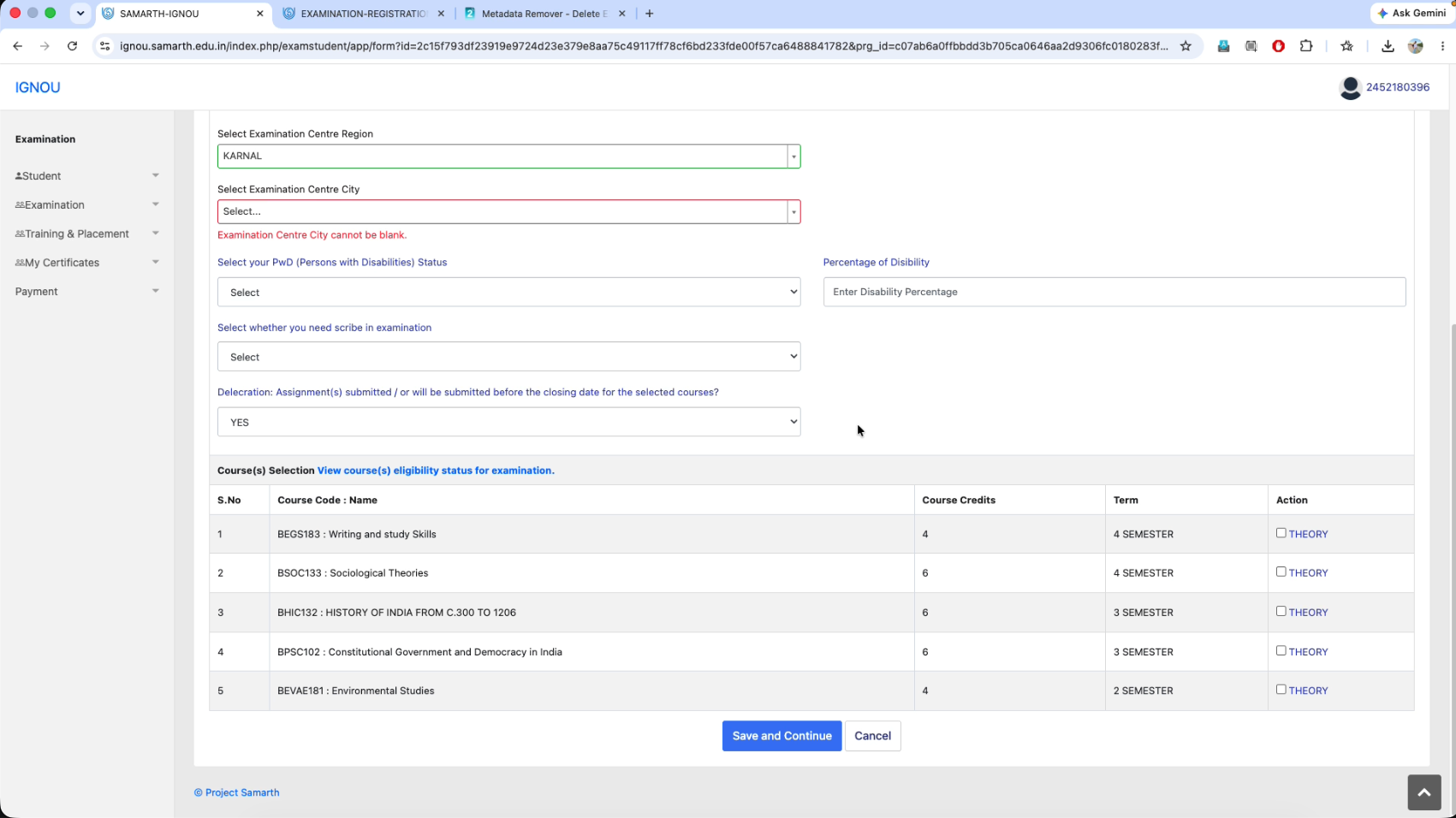
Once you're logged in, the system will automatically show your programme details. Your programme code will appear by itself — this is based on what you enrolled for (BA, MA, BCA, whatever it is). Now comes an important part: selecting your courses.
You'll see a dropdown menu with all the courses you're eligible to write exams for. Read through this carefully. Some courses might not appear in the list because you haven't completed the prerequisites or because they're not being offered in Dec 2026. Only select the courses you actually want to appear for.
Here's something a lot of students get confused about: courses are usually divided into theory courses and practical or lab courses. Make sure you know which category your courses fall into. And here's the financial side — each course will cost you Rs. 200. So if you're selecting four courses, you're looking at Rs. 800 in exam fees alone (before any late fees).
Don't just randomly tick every course on the list. Be thoughtful. Once you submit this form, you cannot change your course selections. I'm saying this again because it's really important. Some students panic at the last minute and realize they selected the wrong courses, and IGNOU won't change it for them.
Picking Your Exam Center: Think Before You Choose
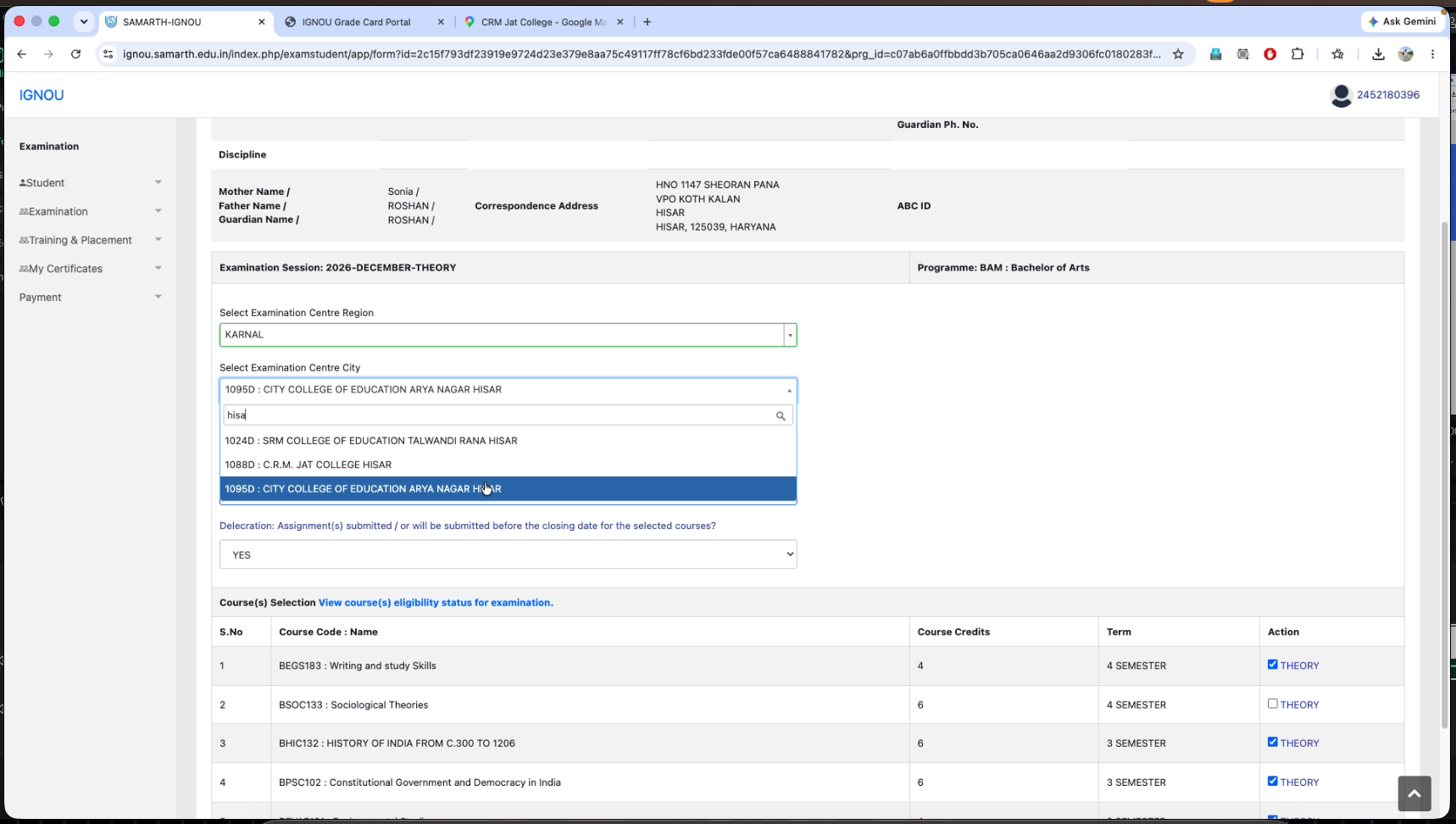
This is another critical decision point. IGNOU has exam centers all over the country. When you see the dropdown, you'll have several options based on your region or state. Most students should pick an exam center that's close to where they live. This makes sense because you don't want to travel 200 kilometers on exam day just to sit for an exam.
Here's something to be aware of: exam center allocation works on a first-come-first-serve basis at popular centers. So if a lot of students are choosing the same center (say, Delhi or Bangalore), the seats might fill up. But that doesn't usually happen with every center. Still, it's worth choosing earlier if you have a preference.
One more thing: IGNOU typically doesn't allow changes to your exam center after you've submitted. So think carefully about where you want to appear. Some students think they can change it later if their situation changes, but that usually doesn't happen. So be sure about your choice.
Your Regional Centre is Different
While you're selecting your exam center, you'll also need to confirm your regional centre. This is the IGNOU office that's responsible for your enrollment, sends your study materials, and handles your student records. Your regional centre is usually the one where you got admitted, and it's different from your exam center. Make sure you select the right one because it's linked to your entire enrollment.
The Final Check Before Payment
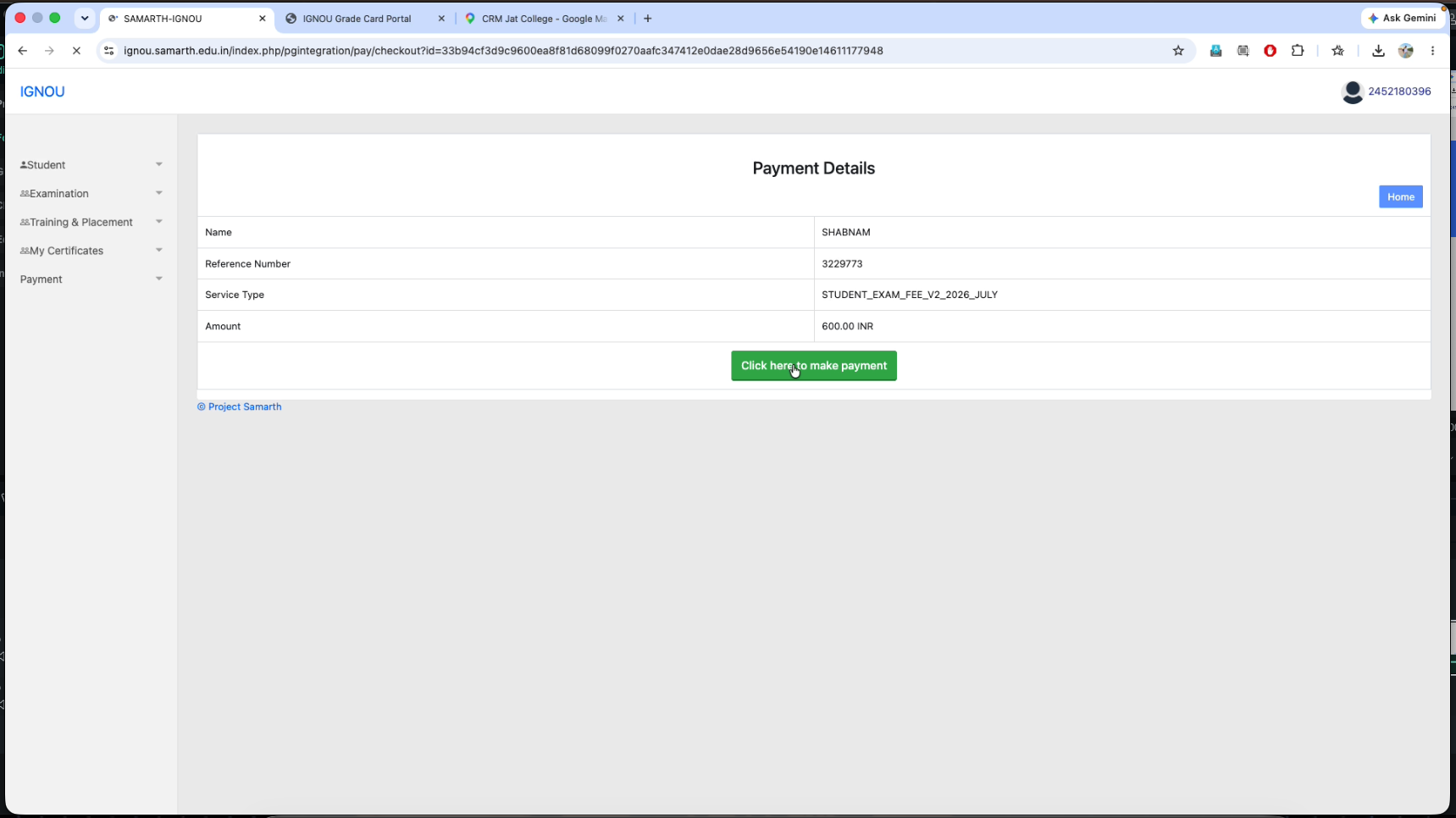
Before the system takes you to payment, it'll show you a summary of everything you've entered. This is your last chance to catch any mistakes. Look at your enrollment number, your programme name, the courses you've selected, the exam center you've chosen, and the total amount you'll be paying. Read through this carefully. Check for typos in your details. This is when you spot problems, not after payment.
Paying for Your Exam
After you've confirmed everything looks good, the system will take you to a payment page. IGNOU only accepts online payments — no cash, no checks, no bank transfers. Your payment options are credit card, debit card, or net banking through most major Indian banks. Some sessions even accept UPI, but check what's available when you're filling your form.
The payment process itself is pretty standard. You'll choose your payment method, enter the necessary details (card number, CVV, OTP), and the system will process it. You should see a success message pretty quickly. But here's what happens if something goes wrong: your form is already saved in IGNOU's system, so you can try paying again later. Wait a day and attempt the payment again. If it keeps failing, don't just give up. Email IGNOU's Registrar at registrarsrd@ignou.ac.in or call 011-29571301 and they'll help you sort it out.
After Your Form is Submitted
Once your payment goes through successfully, you'll see a confirmation slip on your screen. This is important — download it, print it, and save it on your computer. Write down the control number that appears on this confirmation because you'll need it if you ever have to contact IGNOU about your application. This confirmation slip is proof that you applied, and it contains all your application details.
You should also receive an email confirmation to your registered email address. If you don't see it within a couple of hours, check your spam folder because sometimes these emails end up there.
Waiting for Your Admit Card
Now comes the waiting game. Your admit card will be released about 7 to 10 days before the exams actually start. So for Dec 2026 exams, you can expect your admit card somewhere in late November (7 to 10 days before the exams begin). IGNOU will send you an email when it's ready to download. Go back to the same exam portal (exam.ignou.ac.in) and download it.
Here's something non-negotiable: you have to print your admit card. Digital copies don't work. IGNOU is strict about this. You cannot enter the exam hall without a printed admit card. So when you download it, make sure you print it clearly on a good printer. Some students print it in low resolution and then can't read it properly on exam day, which is a problem. Also bring a valid ID proof with you to the exam center.
Mistakes Students Actually Make (And How to Avoid Them)
Let me tell you about some of the common mistakes I've seen IGNOU students make, because learning from other people's errors is easier than making them yourself.
The first one is picking the wrong exam center. Students sometimes think they can change it later or that it doesn't really matter much. But if you live in Mumbai and you select an exam center in Delhi, you're going to have a problem on exam day. Think practically about where you'll actually be able to travel to sit for your exams.
The second mistake is typing errors in your contact information. You put in a wrong phone number or email, and then when IGNOU tries to send you your admit card notification, it goes to the wrong place and you miss it. This is an easy one to avoid — just slow down and type carefully.
A lot of students also forget to note their control number after submission. You get your confirmation slip and you're excited that you've submitted, so you close the browser without saving anything. Then a few weeks later, if you have a question, you don't have your control number and IGNOU can't track your application quickly. Just take 30 seconds to write it down or take a screenshot.
Some students panic and don't submit until the last days of October, then they see the late fee and kick themselves. If you can, submit early and avoid that Rs. 1,100 extra charge. It's not a huge amount, but it's unnecessary if you plan ahead.
People sometimes accidentally select the same course twice or get confused about whether they've selected a particular course. This causes problems when your form gets processed. Just take your time and go through the list methodically.
Another thing: don't fill the form on a slow internet connection or when your mobile data is about to run out. Payment can get stuck or timeout, which is frustrating. Use a good WiFi connection or make sure your mobile data is strong.
And finally, when you print your admit card, don't just print it on your printer that's been sitting unused for six months. Get a clear, clean printout. Some students print in such low resolution that you can barely read the details, and then they face problems at the exam center.
Frequently Asked Questions (FAQs)
What is the last date to fill the IGNOU December 2026 exam form?
The last date to submit the IGNOU December 2026 Term End Examination (TEE) form without late fee is 27th October 2026 (6:00 PM). With an additional late fee of ₹1,100, students can submit their exam form until 3rd November 2026.
What is the examination fee per course for IGNOU Dec 2026?
The examination fee is ₹200 per theory and practical course. For courses involving practical exams with 4 credits or more, additional fees may apply as notified by IGNOU.
What is the official website for IGNOU Dec 2026 exam form?
The official portal for online exam form submission is exam.ignou.ac.in. Make sure not to use the student admission/re-registration portal for Term-End Examination form submission.
Can I change my examination centre after submitting the form?
IGNOU does not generally permit changes to the selected examination centre once the form is submitted. In exceptional circumstances, a request may be submitted through the portal if an exam centre change window is opened.
When will the IGNOU December 2026 admit card (hall ticket) be released?
The IGNOU December 2026 Hall Ticket is released 7 to 10 days before the examinations commence, typically in the last week of November 2026, on the official portal exam.ignou.ac.in.
Can I pay the IGNOU exam fee in installments or offline?
No. The examination fee must be paid in full online via Debit Card, Credit Card, Net Banking, or UPI at the time of form submission. Offline Demand Drafts are no longer accepted.
Things to Keep in Mind Before You Start
Before you sit down to fill the form, make sure you're actually ready. First, your enrollment should be active. If there's any doubt about whether you're still enrolled or if your enrollment has expired, contact your regional centre first. Don't start filling a form if your enrollment status is unclear.
Second, be aware that some IGNOU courses have prerequisites. So if you're thinking about taking a particular course, make sure you've completed the earlier courses that come before it. You don't want to fill the form, submit it, and then find out you weren't eligible.
Third, have your programme code ready. Know whether you're in BA, MA, BCA, or whatever programme you enrolled in. If you've forgotten, check your admission letter.
Make sure your contact information with IGNOU is up to date. Your email and phone number should be current because IGNOU will use these to contact you. If you changed your number or email since you enrolled, update it first.
Also, try logging into the IGNOU portal a few days before you plan to submit your form. Make sure your username and password work. If your password doesn't work, reset it now instead of trying to do it on the day of the deadline when the servers might be slow.
Finally, use a laptop or desktop computer to fill the form if you can. Mobile browsers sometimes have glitches with the form submission, so unless you absolutely have to, use a proper computer.
The Timeline After You Submit
After you hit submit, here's roughly what happens. Over the next day or three, IGNOU's system processes your form. Within 3-5 days, you should receive an email confirmation (check your spam folder). Within 1-2 weeks, if you log back into the portal, you should be able to see your application status, and it should show as accepted or approved.
Then you wait. About 7-10 days before the exams start, your admit card will be released. You'll get an email notification, and you can download it from the portal. That's when you print it and keep it safe. On exam day, you show up at your selected exam center with your printed admit card and a valid ID.
Getting Help When You Need It
If something goes wrong along the way, don't just worry silently. IGNOU has a system for helping students. If you have trouble logging in or your enrollment number isn't working, email the Registrar (SRD) at registrarsrd@ignou.ac.in or call 011-29571301.
If you have questions about a specific course or whether it's being offered, contact your regional centre. They have contact details on the IGNOU website. For payment issues, there's usually a help desk you can access through the exam.ignou.ac.in website itself. For admit card problems, again, your regional centre is usually your best bet.
Right Before You Submit
Here's a simple mental checklist to run through before you actually press the submit button. Do you have your enrollment number? Can you log in? Have you selected the courses you actually want to write? Did you pick an exam center that makes sense for you? Do you have a valid payment method ready? Is your internet connection stable? Have you read the instructions? Do you have at least 20-30 minutes to complete this without being rushed?
If the answer to all these questions is yes, you're good to go.
The Bottom Line
Look, filling your IGNOU exam form isn't rocket science. It's a fairly straightforward process when you know what you're doing and you don't rush through it. The mistakes happen when people either panic at the last minute or don't pay attention to the details. You've read this guide, so you already know what to expect.
The key things to remember are pretty simple. Submit early — don't wait until October 19th. Read carefully before you click anything. Double-check everything before payment. Save your confirmation slip. And when your admit card comes out, print it immediately.
If something does go wrong or you get stuck on something, don't stress. IGNOU has a system in place to help students. Your regional centre exists for a reason. The Registrar's office handles these issues every day. So reach out to them if you need help.
You're going to do fine with this. Students fill out IGNOU exam forms all the time, and most of them get through without any problems. Now you're equipped with the knowledge to be one of those students.
Good luck with your exams!