

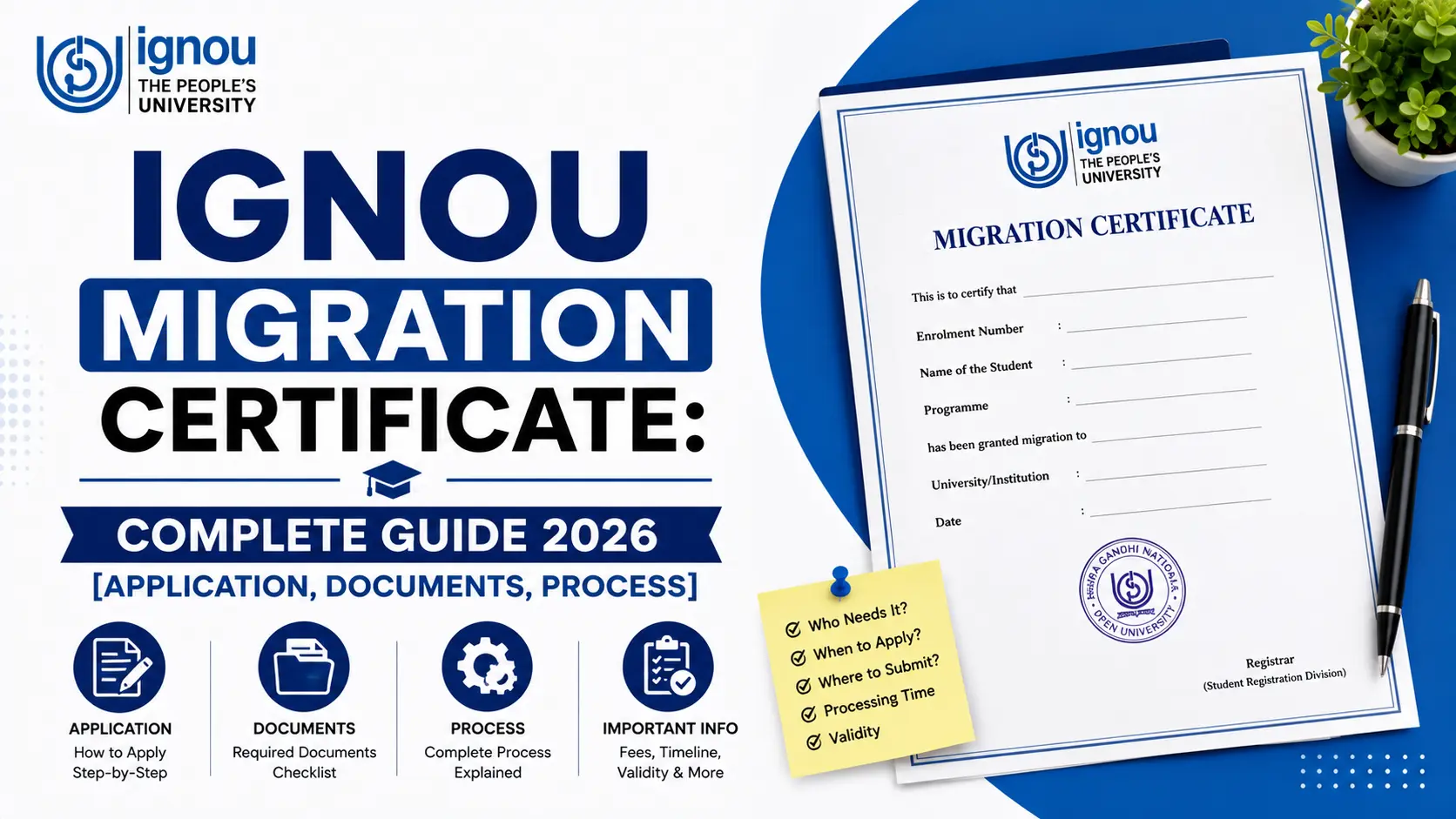
You've just completed your degree from IGNOU. You're excited. You've got admission to a good university for your Master's degree. Everything feels on track.
Then comes the email from your new university: "Please submit your Migration Certificate along with your application."
You pause. What's a migration certificate? When did you need to apply for it? Why didn't anyone tell you about this?
Official Study Materials & Solved Assignments
If you're feeling stressed right now, that's completely normal. Thousands of IGNOU students face this exact moment every year. But here's the good news: this process is much simpler than it seems.
This guide walks you through everything you need to know about the IGNOU Migration Certificate. By the time you finish reading, you'll understand exactly what it is, who needs it, what documents to gather, and how to apply step-by-step. No confusion. No missed deadlines. Just clear, practical guidance.
Whether you're completing your BA, B.Sc, MA, or diploma—or even if you're unsure whether you actually need this certificate—we've got you covered. Many students don't realize they need this certificate until the last minute, and that's why we've created this comprehensive resource specifically for IGNOU students like you.
What You'll Learn in This Guide:
- Exactly what a migration certificate is (and what it's NOT)
- Whether you actually need one for your situation
- All the documents you'll need to gather
- A step-by-step process from application to collection
- How much it costs and how to pay
- How long it takes and how to track your application
- Common mistakes to avoid
- Answers to 20+ frequently asked questions
Let's get started.
What Is an IGNOU Migration Certificate?
Definition & Purpose
Think of your migration certificate as your "exit permission slip" from IGNOU.
Officially, a migration certificate is a document issued by IGNOU that confirms you've completed your academic program and are eligible to continue your education at another institution. It's your proof that IGNOU has no objection to you moving to another university.
In simpler terms: It's a letter from IGNOU saying, "Yes, this student has finished their program with us. They're free to go to any other university."
Official Status & Legal Value
This is important to understand: your migration certificate is an official academic document. It's recognized by universities across India and carries legal weight. It's issued by the Registrar's office of IGNOU after verifying your academic records. You'll need this document whenever you apply for admission to another university or educational program.
Why IGNOU Issues Only Migration Certificate (Not Transfer Certificate)
This confuses many students, so let's clarify:
IGNOU issues ONLY Migration Certificates. Not transfer certificates. Here's why:
A transfer certificate is typically issued by traditional universities to students who want to move before or during their academic program. Since IGNOU is designed for distance learning, students don't typically transfer mid-program. The migration certificate is specifically for students who've completed their program and want to pursue education elsewhere.
Common Misconceptions
Let's clear up what a migration certificate is NOT:
- It's NOT your degree certificate. Your degree certificate is proof of completion. Your migration certificate is permission to move to another university. You'll need BOTH.
- It's NOT a character certificate. A character certificate is something completely different (usually required for jobs or specific roles). Migration certificate is strictly about academics.
- It's NOT something you can get online. Despite what you might hope, most IGNOU Regional Centres still require in-person submission or postal submission.
- It's NOT just for Master's programs. You might need it for certificate courses, diploma programs, or any program at another institution.
What It Proves
Your migration certificate proves: ✓ You've successfully completed your IGNOU program
✓ Your final results are officially declared
✓ You have no outstanding dues with IGNOU
✓ Your academic records are clean
✓ You're eligible to pursue higher education elsewhere
Who Needs a Migration Certificate?
Not every IGNOU student needs a migration certificate. But if you're planning to continue your education at another institution, you almost certainly do.
You Need This If...
Check if any of these apply to you:
Scenario 1: You completed your Bachelor's degree and want to pursue a Master's degree
Example: You completed your BA (Honours) in English from IGNOU. Now you've got admission to a traditional university for your MA (English). That university will ask for your migration certificate.
Scenario 2: You completed your postgraduate degree and want to pursue another postgraduate program
Example: You finished your MBA from IGNOU. You want to apply for a professional certification (like ICWA, CA, etc.). Many certifying bodies ask for migration certificate.
Scenario 3: You completed a diploma and want to pursue a degree program
Example: You did the IGNOU Diploma in Civil Engineering. Now you want to join a degree program at another institute. You'll need the migration certificate.
Scenario 4: You want to apply for professional programs
Example: You've completed your graduation and want to apply for B.Ed (teacher training), law degree, or any professional course. Most will ask for your migration certificate.
You May Not Need It If...
- You're applying for a skill-based course or certification (like coding bootcamps)
- You're applying for a job (employers ask for degree certificate, not migration certificate)
- You're applying for courses from private online platforms
- You're applying for short-term courses or workshops
Important disclaimer: Always confirm with the institution where you're applying. Don't assume. Institutions have different requirements. One university might ask for migration certificate, while another might not need it. Verify your new university's exact requirements before applying.
Eligibility Criteria: Can You Apply?
Before you start gathering documents, make sure you meet the eligibility requirements. The good news? The requirements are straightforward.
Basic Requirements
You can apply for a migration certificate if:
✓ You've successfully completed your IGNOU program - All assignments submitted, all exams attempted, results declared
✓ Your final results are officially declared - This is crucial. You can't apply before results are out
✓ You have no pending academic dues - No outstanding course work, no incomplete assignments
✓ You have proper documentation - You have your degree certificate or provisional certificate
That's it. Those are the main requirements.
Common Myths—DEBUNKED
Let's address what you've probably heard but is actually false:
Myth 1: "You must attend convocation to get migration certificate"
❌ FALSE. Convocation is optional. Thousands of IGNOU graduates skip convocation and still get migration certificates without any problem.
Myth 2: "You must apply within 1 year of completing your program"
❌ FALSE. There's no time limit. You can apply 2 years, 5 years, or even 10 years after completing your degree. IGNOU has no deadline.
Myth 3: "You can apply before your results are declared"
❌ FALSE. You MUST wait until results are officially declared. Applying early will get your application rejected.
Myth 4: "You need a character certificate to get migration certificate"
❌ FALSE. Character certificate is not required. They're completely different documents.
Myth 5: "You can get it online"
⚠️ MOSTLY FALSE. Some Regional Centres have started online portals, but most require in-person or postal submission. Check with your specific RC.
Documents Required: Your Complete Checklist
This is the section most students focus on—and rightfully so. Getting documents wrong is the #1 reason for application rejections.
Here's exactly what you need to gather:
Complete Document List
| Document | What It Is | Where to Get It | Important Notes |
|---|---|---|---|
| Application Form | Official IGNOU form | IGNOU website or Regional Centre | Download PDF and print on A4 paper |
| Consolidated Statement of Marks (CSM) | List of all your marks | IGNOU Student Zone (online) | Photocopy, self-attested (xerox) |
| Degree/Provisional Certificate | Your degree proof | In your possession (already received) | BOTH original AND photocopy required |
| IGNOU ID Card | Your enrollment ID | In your possession | Photocopy, self-attested |
| Address Proof | Valid government-issued address document | Your records | Passport, Aadhar, Voter ID, Driving License |
| Identity Proof | Valid government-issued ID | Your records | Aadhar, PAN, Passport, Driving License |
| Fee Payment Proof | Receipt of fee payment | From bank (if DD) | Keep this carefully |
| Self-Attested Copies | Your signature on photocopies | You prepare | Date and sign each copy |
How to Prepare Each Document
1. Application Form
- Go to www.ignou.ac.in
- Download the migration certificate application form (PDF)
- Print it on white A4 paper (not colored, not tissue)
- Use black or blue pen to fill it (NOT pencil)
- Keep handwriting neat and legible
- Don't use correction fluid or erasers—if you make a mistake, print a fresh copy
2. Consolidated Statement of Marks
- Log into IGNOU Student Zone (https://studentzone.ignou.ac.in/)
- Click "Download Documents"
- Look for "Consolidated Statement of Marks" or "Examination Results"
- Print this document
- Make photocopies (you'll need 2-3 copies)
- Self-attest each copy (sign and date on the photocopy, next to your name)
- Important: Make sure the photocopy is clear—not too dark, not too faded
3. Degree Certificate or Provisional Certificate
- This is the certificate you already have (or should have by now)
- Original copy: Don't send the original by post. Keep it safe with you. You might need it later
- Photocopy: Make 2-3 photocopies. Get these self-attested
- Both the original and photocopy must be included in your application packet
4. IGNOU ID Card Photocopy
- Make a photocopy of both sides if it's a card
- Self-attest the photocopy
- Pro tip: This is often forgotten. Don't skip it
5. Address Proof
- Use any government-issued ID that has your current address
- Aadhar card, voter ID, passport, driving license, utility bill (with your name and address)
- Photocopy and self-attest
- Make sure the address matches your application form
6. Identity Proof
- Any government-issued ID
- Photocopy and self-attest
- Should match your name exactly as written in the application form
7. Fee Payment Proof
- This comes after you make the Demand Draft (explained in the next section)
- Proof could be the DD receipt, online payment confirmation, or bank statement
- Keep this in a safe place
What Does "Self-Attested" Mean?
Many students get confused by this term.
Self-attested means: You sign and date the photocopy yourself. That's it.
You do NOT need:
- A notary
- A lawyer
- An official stamp
- Anyone else's signature
You DO need to:
- Sign your name on the photocopy
- Write the date next to your signature
- Make sure your signature matches the signature on your original ID
Example: If your name is "Rajesh Kumar Singh," you write that exactly as it appears on your ID.
Common Document Mistakes to Avoid
❌ Don't: Use faded or dark photocopies
✓ Do: Make clear photocopies. If your photocopy machine makes dark copies, use a different one or go to a professional xerox shop.
❌ Don't: Send original degree certificate by post
✓ Do: Keep the original safe. Send only photocopy (self-attested).
❌ Don't: Forget to self-attest documents
✓ Do: Remember: sign and date every photocopy you send.
❌ Don't: Use different versions of your name in different documents
✓ Do: Make sure your name is spelled exactly the same in your application form, address proof, and ID proof.
❌ Don't: Miss the IGNOU ID card photocopy
✓ Do: Include it. It's often forgotten but it's required.
Step-by-Step Application Process: 10 Clear Steps
This is the heart of the guide. Follow these 10 steps exactly as written, and you'll have no problems.
Step 1: Download the Application Form
What to do:
- Go to www.ignou.ac.in
- Look for "Admissions" or "Student Services" section
- Search for "Migration Certificate Application Form"
- Download the PDF
- Print it on A4 white paper
Pro tips:
- Make sure the print is clear (not too light)
- Print on one side only
- Print the entire form before you start filling
Time needed: 5 minutes
Step 2: Gather All Documents Mentioned Above
What to do:
- Use the checklist from the "Documents Required" section above
- Organize all documents in the order they appear in the checklist
- Make photocopies of everything (except the original degree certificate, which goes with you in person if submitting)
- Self-attest each photocopy (sign and date)
Pro tips:
- Take photos of each document as backup (in case something gets lost in the mail)
- Make TWO complete sets of documents: one for submission, one for your records
- Use a folder to organize everything
Time needed: 1-2 hours
Step 3: Fill the Application Form Carefully
This is where many students make mistakes. Take your time.
Information you'll need to fill:
- Your Full Name - Exactly as it appears on your ID proof
- Father's Name - As per your ID documents
- Enrollment Number - This is your IGNOU registration number. Find it on your ID card or student zone
- Program Name - Example: "Bachelor of Arts (Honours)" or "Master of Science in Physics"
- Program Code - Example: "BAG" or "MSC"
- Year of Completion - The year you completed (when results were declared)
- University/Institution You're Migrating To - The full, correct name of the new university
- Address Proof Type - Which ID you're using for address (Aadhar, Voter ID, etc.)
- Your Current Address - Exactly as written on your address proof
- Contact Number - An active number where you can be reached
- Email Address - If the form asks for it
- Date of Application - Today's date
- Your Signature - Sign in the designated area
Critical reminders:
- Use a pen. Not pencil. Blue or black pen only.
- Write legibly. Unclear handwriting can cause delays.
- No correction fluid. If you make a mistake, start with a fresh printout.
- Check spelling. Especially the name of the university you're migrating to.
- Double-check enrollment number. Wrong number = rejected application.
Time needed: 20-30 minutes
Step 4: Organize Your Document Package
What to do:
Create a neat package with all documents in order:
- Original application form (filled)
- Consolidated Statement of Marks (photocopy, self-attested)
- Degree Certificate (photocopy, self-attested) + Original (if submitting in person)
- IGNOU ID Card (photocopy, self-attested)
- Address Proof (photocopy, self-attested)
- Identity Proof (photocopy, self-attested)
- Demand Draft receipt or payment proof
- Self-prepared checklist (optional but helpful)
Pro tips:
- Use a single folder (not a large envelope)
- Arrange documents in order (don't mix them)
- Staple pages together (use just 1-2 staples)
- Write on the folder: "Migration Certificate Application - [Your Name]"
- Make a note of the date you're submitting
Time needed: 15 minutes
Step 5: Calculate and Arrange Fee Payment
Current Fee: Rs. 500 (as of September 2026 - verify with your Regional Centre)
Two payment methods:
Option A: Demand Draft (Most Common)
- Go to ANY bank (State Bank of India, ICICI, HDFC, any bank)
- Ask for a Demand Draft (DD)
- Tell the bank:
- DD in favor of: "IGNOU"
- Payable at: [Your Regional Centre's city name]
- Amount: Rs. 500
- The bank will prepare the DD on the spot (takes 10-15 minutes)
- You'll pay from your account
- Keep the DD receipt
Example: If your Regional Centre is in Delhi, ask for DD payable at "Delhi"
Option B: Online Payment
Some Regional Centres now have online payment portals. Check with your specific RC if this option is available. If available, you'll get an online receipt instead of a DD.
Important: Contact your Regional Centre to confirm current payment method before going to the bank.
Step 6: Choose Your Submission Method
Three ways to submit:
Method 1: In-Person Submission (FASTEST & RECOMMENDED)
- Go to your Regional Centre on any working day
- Bring all documents (originals + photocopies)
- Submit to the Student Services counter
- They'll give you an acknowledgment receipt with an application reference number
- Keep this receipt carefully
Advantages:
- Fastest processing (15-20 days)
- You get receipt immediately
- No risk of documents getting lost in mail
- You can ask questions if anything is unclear
Disadvantages:
- Requires travel to your RC
Method 2: Registered Post / Speed Post
- Prepare your package with all documents
- Go to your nearest post office
- Send via Registered Post or Speed Post
- Get the tracking number and receipt
- The package will reach your Regional Centre
Advantages:
- You can submit from home
- Tracking number lets you monitor the package
Disadvantages:
- Takes longer (extra 3-5 days for postal delivery)
- Risk of documents getting damaged or lost
- Processing time is still 15-30 days, but clock starts from when RC receives it
Address to send to: Find your Regional Centre's postal address on IGNOU website. Send to: "Student Services Desk, [Your Regional Centre Address]"
Method 3: Courier Service
- Pack everything securely
- Send via private courier (BlueDart, FedEx, etc.)
- Keep tracking number
Advantages:
- Faster than regular post
- Good tracking
- Less risk than regular post
Disadvantages:
- Additional cost (you pay courier charges)
- Still has postal delivery delays
Our recommendation: Submit in person if you can. It's fastest and most reliable.
Step 7: Submit at Your Regional Centre
What to do:
Visit your Regional Centre during office hours (usually 10 AM - 5 PM, Monday-Friday).
Bring:
- Filled application form
- All required documents (originals + photocopies)
- Demand Draft (or payment receipt if online paid)
- Your ID for identity verification
What will happen:
- Go to the Student Services counter
- Hand over your package
- Staff will verify documents (might check things on the spot)
- They'll give you an acknowledgment receipt
- Keep this receipt. This proves you applied.
Pro tips:
- Go early in the day to avoid crowds
- Have your contact number and email ready
- Ask them to note the reference number on your receipt
- Ask how long processing typically takes at your RC
- Ask if they can email/SMS updates during processing
Step 8: Get Your Acknowledgment Receipt
This is crucial. Your acknowledgment receipt has:
- Your application reference number
- Date of submission
- List of documents submitted
- Processing timeline estimate
Keep this receipt:
- Use it to track your application
- Use it if you need to follow up
- Take a photocopy for your records
- DON'T lose it
Step 9: Track Your Application
Where to track:
-
IGNOU Student Zone (https://studentzone.ignou.ac.in/)
- Log in with your enrollment number
- Look for "Status of Documents" or "Migration Certificate Status"
- This shows real-time status
-
Call Your Regional Centre
- Call the phone number of your RC
- Provide your reference number
- Ask about the status
-
Email Your Regional Centre
- Send a polite email with your reference number
- Ask for status update
Expected timeline:
- First week: Initial verification
- Week 2-3: Approval (or request for corrections if needed)
- Days 15-30: Certificate is prepared and ready for collection
If you don't hear anything after 30 days: Follow up immediately. It might be a processing delay or your application might need corrections.
Step 10: Collect Your Certificate
When it's ready:
Your Regional Centre will notify you (via phone, email, or SMS depending on what you told them).
Two ways to collect:
Option 1: In-Person Collection
- Go to your Regional Centre
- Bring your acknowledgment receipt
- Bring your ID
- Staff will give you the migration certificate
- It will be in an official envelope (don't open it)
- Get a receipt confirming collection
Option 2: Postal Collection
- Request at the time of submission: "Please send my certificate by post to this address"
- Provide your postal address
- They'll send it via registered post
- Track the postal package
- When it arrives, keep the receipt
Pro tips:
- Collect in person if you can (more secure)
- Get a receipt at collection
- Don't open the envelope until you submit it to your new university
- Take a photocopy for your records (after collecting)
Fee & Payment Process
Current Fee: Rs. 500 (September 2026)
⚠️ Important: This fee can change. Contact your Regional Centre to confirm the current fee before making payment.
Payment Methods
Primary Method: Demand Draft (DD)
This is the most common method:
- Go to any bank
- Ask for DD in favor of "IGNOU"
- Payable at your RC's city
- Amount: Rs. 500
- It takes 10-15 minutes
- Pay from your bank account
- Keep the DD and receipt
Example DD details:
- DD in favor of: IGNOU
- Payable at: New Delhi (or your RC's city)
- Amount: Rs. 500
- DD number: [Bank will provide]
Alternative: Online Payment
Some Regional Centres now have online portals. Check IGNOU website or call your RC.
If available:
- You'll get a payment link
- Pay directly from your bank account
- You'll get an online receipt
- Submit the receipt with your application
For Duplicate Certificate:
If your original migration certificate is lost or damaged, you can get a duplicate.
- Duplicate fee: Slightly higher than original (around Rs. 750-1000)
- Process: Similar to original application
- Timeline: Similar (15-30 days)
Timeline & Tracking: What to Expect
Complete Timeline
| Stage | Days | What Happens |
|---|---|---|
| Application Submission | Day 1 | You submit at RC or via post |
| Initial Verification | Days 2-5 | RC verifies your documents |
| Approval Processing | Days 6-10 | If documents are correct, application approved |
| Certificate Preparation | Days 11-20 | IGNOU prepares your certificate |
| Ready for Collection | Days 15-30 | RC notifies you certificate is ready |
| Collection/Dispatch | Days 20-30 | You collect or receive by post |
Total time: 15-30 days (typically 2-4 weeks)
How to Track Your Application
Method 1: IGNOU Student Zone
Most reliable method:
- Go to https://studentzone.ignou.ac.in/
- Log in with enrollment number and password
- Look for "Document Status" or "Certificate Status"
- Check migration certificate status there
- Updates refresh daily
Method 2: Contact Your Regional Centre
Call or email:
- Have your reference number ready
- Call during office hours
- Email with subject: "Migration Certificate Status - [Your Name] - [Reference Number]"
- Usually get response within 24 hours
Find RC contact: https://www.ignou.ac.in/ignou/aboutignou/regionalcentres
Method 3: Visit Your Regional Centre
Go in person:
- Bring your reference number
- Bring your ID
- Ask at Student Services desk
- They'll check immediately
Common Timeline Issues
Issue: "It's been 30 days and I haven't heard anything"
What to do:
- Call your RC
- Email with reference number
- Ask if there's a processing delay
- If not resolved in 2 days, escalate to Regional Centre Head
- Keep records of all communications
Issue: "I need the certificate urgently (in 5 days)"
Bad news: Most RCs don't offer rush processing. However:
- Ask if your RC has any expedited option
- Submit in person (faster than post)
- Collect in person (don't wait for postal delivery)
- This might get you the certificate in 10-15 days instead of 30
Issue: "My RC didn't notify me when it's ready"
What to do:
- Don't wait. After day 20, proactively check
- Call and ask if certificate is ready
- Most RCs are busy and might not notify
- Take responsibility for tracking yourself
Key Comparisons: What's Different?
Migration Certificate vs. Degree Certificate
| Aspect | Migration Certificate | Degree Certificate |
|---|---|---|
| What it is | Permission to move to another university | Proof of degree completion |
| When you need it | To apply at another institution | For employment, credential proof |
| Who issues it | IGNOU | IGNOU |
| What it proves | You're free to move; no objections from IGNOU | You successfully completed the program |
| Do you need both? | YES - Most universities ask for both |
Remember: Your degree certificate is proof. Your migration certificate is permission. You need both.
Migration Certificate vs. Transfer Certificate
| Aspect | Migration Certificate | Transfer Certificate |
|---|---|---|
| Timing | After program completion | Before/during program completion |
| Purpose | Moving to another university | Changing institution mid-program |
| IGNOU issues it | YES - Migration Certificate only | NO - IGNOU issues only Migration |
| When you apply | After results are declared | Before completing program |
Key difference: IGNOU only issues Migration Certificates, not Transfer Certificates. This is because IGNOU is distance learning—students don't typically transfer mid-program.
Migration Certificate vs. Provisional Certificate
| Aspect | Migration Certificate | Provisional Certificate |
|---|---|---|
| Timing | After completion, after results | During/immediately after results |
| Validity | Permanent | Temporary (until final degree) |
| Purpose | Permission to move | Temporary proof of completion |
| Need both? | Possibly YES - depends on new university |
Some universities accept provisional certificate for admission but might ask for migration certificate later. Always ask your new university what they need.
Migration Certificate vs. Character Certificate
| Aspect | Migration Certificate | Character Certificate |
|---|---|---|
| Purpose | Academic transfer permission | Behavioral/conduct proof |
| Issued by | IGNOU | Police department / School |
| For what | Continuing education | Employment, visa, legal matters |
| Related to IGNOU? | YES | NO |
Critical point: They're completely different. Migration certificate is NOT character certificate. Don't confuse them.
Common Mistakes to Avoid
Here are the 12 most common mistakes IGNOU students make. Avoid all of these:
Mistake 1: Applying Before Results Are Officially Declared
❌ Wrong: "My results should be out soon, let me apply now"
✓ Right: Wait until results are officially declared and visible in IGNOU Student Zone. Applying early = rejected application.
How to avoid: Check Student Zone first. Only apply after results are shown in your portal.
Mistake 2: Incomplete Application Form
❌ Wrong: Leaving any field blank. Skipping sections you think aren't important.
✓ Right: Fill every single field. Even optional fields should be filled with "N/A" if not applicable.
How to avoid: Read the form instruction sheet completely. Fill methodically. Don't rush.
Mistake 3: Unclear or Dark Photocopies
❌ Wrong: Using photocopies that are too dark, too light, or faded.
✓ Right: Use clear, readable photocopies. Black text on white background.
How to avoid: Go to a professional xerox shop if your photocopy machine makes dark copies. Test one copy before making all of them.
Mistake 4: Wrong Enrollment Number
❌ Wrong: Writing your enrollment number incorrectly or from memory.
✓ Right: Copy it exactly from your IGNOU ID card or degree certificate.
How to avoid: Have your ID card in front of you when filling the form.
Mistake 5: Wrong Name of Target University
❌ Wrong: "Delhi University" or "IIT Delhi" (incomplete/incorrect names)
✓ Right: "University of Delhi" or "Indian Institute of Technology, Delhi"
How to avoid: Write the exact official name of the university. Check their official website for the correct name.
Mistake 6: Not Getting Documents Self-Attested
❌ Wrong: Sending photocopies without signing and dating them.
✓ Right: Sign and date every photocopy. Write your name next to signature.
How to avoid: After making photocopies, self-attest each one before submitting.
Mistake 7: Incorrect Address Across Documents
❌ Wrong: Address on application form doesn't match address on address proof.
✓ Right: Ensure address is exactly the same in all documents.
How to avoid: Copy address exactly from your address proof to the form. Don't paraphrase or abbreviate.
Mistake 8: Submitting to Wrong Regional Centre
❌ Wrong: Sending application to a different RC than the one where you were enrolled.
✓ Right: Submit to the Regional Centre where you were last enrolled (shown on your certificate).
How to avoid: Check your degree certificate for your RC details. Verify on IGNOU website. Send to the correct address.
Mistake 9: Missing IGNOU ID Card Photocopy
❌ Wrong: "I'll skip the ID card copy, it's not that important"
✓ Right: Include the IGNOU ID card photocopy (often forgotten but required).
How to avoid: Use the document checklist from this guide. Check off each item as you prepare it.
Mistake 10: Spelling Errors or Name Variations
❌ Wrong: Writing your name as "Rajesh Kumar" in form and "Rajesh K. Kumar" in another document.
✓ Right: Use exactly the same name spelling in all documents.
How to avoid: Copy your name from your ID document. Use it exactly as it appears everywhere.
Mistake 11: Not Keeping Application Copy
❌ Wrong: Submitting the only copy of the form.
✓ Right: Keep a photocopy of the filled form for your records.
How to avoid: Before submitting, photocopy the filled form. Keep it safe.
Mistake 12: Unclear Handwriting or Using Pencil
❌ Wrong: Handwriting so unclear it can't be read. Using pencil.
✓ Right: Write legibly with blue or black pen.
How to avoid: Take time while filling. Use your normal writing. Avoid fancy handwriting that's hard to read.
Frequently Asked Questions (FAQ)
General Questions
Q1: What is the difference between migration certificate and degree certificate?
A: Degree certificate is proof you completed your program. Migration certificate is permission from IGNOU to move to another university. You need both.
Q2: When exactly do I need the migration certificate?
A: When you apply to another university for admission. Not all universities ask for it—verify before applying.
Q3: Can I get the migration certificate online?
A: Mostly no. A few Regional Centres have started online portals, but most require in-person or postal submission. Check with your specific RC.
Eligibility Questions
Q4: Do I need to attend convocation to get migration certificate?
A: No. Convocation is completely optional. You can get migration certificate without attending.
Q5: Can I apply before my results are declared?
A: No. You must wait until results are officially declared in IGNOU Student Zone.
Q6: Is there a time limit to apply after completing my degree?
A: No. You can apply anytime—even 5 or 10 years after completing your program. There's no deadline.
Q7: What if I still owe money to IGNOU?
A: You must clear all dues before applying. Check your Student Zone for any pending dues.
Document Questions
Q8: Do I need to send the original degree certificate?
A: Not by post. If submitting in person, bring the original for verification. If submitting by post, send only photocopy (self-attested).
Q9: What does "self-attested" mean?
A: Sign and date the photocopy yourself. You don't need anyone else to sign it or get it notarized.
Q10: Where do I get the Consolidated Statement of Marks?
A: Log into IGNOU Student Zone (studentzone.ignou.ac.in). Download it from "Download Documents" section.
Q11: Can I use my Aadhar card as address proof?
A: Yes, if the address on Aadhar matches your current address.
Process Questions
Q12: How do I make a Demand Draft?
A: Go to any bank. Ask for DD in favor of "IGNOU," payable at [your RC's city], for Rs. 500. Takes 10-15 minutes.
Q13: Can I submit my application by email?
A: No. You must submit in person or via postal/courier service.
Q14: What if I make a mistake after submitting?
A: Contact your Regional Centre immediately with your reference number. They might be able to make corrections if it's early in processing.
Timeline Questions
Q15: How long does it take to get the migration certificate?
A: Typically 15-30 days. Most students get it within 2-4 weeks.
Q16: Can I get it faster (rushed processing)?
A: Most RCs don't offer rush processing. However, submitting in person and collecting in person (instead of postal) is fastest.
Q17: Why is it taking more than 30 days?
A: Could be: processing backlog, incomplete documents, or your application needs corrections. Contact RC to find out.
Q18: What if the new university wants the certificate urgently?
A: Explain your situation to the university. Most are willing to give provisional admission while certificate is being processed.
Fee Questions
Q19: How much does the migration certificate cost?
A: Rs. 500 (as of September 2026). Confirm with your RC as fees can change.
Q20: Can I pay online?
A: Some RCs have online payment portals now. Check with your specific RC.
Duplicate Certificate Questions
Q21: What if I lose my migration certificate?
A: You can apply for a duplicate. Process is similar, but fee is slightly higher (around Rs. 750-1000).
Q22: Can I get multiple copies of the migration certificate?
A: You can request 2-3 copies at the time of application for a small fee. Ask your RC about this.
Tips & Best Practices
Before You Apply
✓ Verify: Contact your new university. Ask exactly what documents they need. Don't assume.
✓ Prepare Early: Don't wait until the last minute. Start gathering documents 1-2 months before you need the certificate.
✓ Check Fees: Call your Regional Centre to confirm current fee. It can vary slightly by RC.
✓ Gather Address: Have the official, correct address of your Regional Centre before you start.
✓ Back Up Documents: Take photos of all documents before submitting. Digital backup in case original gets lost.
While Applying
✓ Take Your Time: Don't rush the application form. Mistakes cause rejections.
✓ Be Legible: Write clearly. Unclear handwriting can cause delays.
✓ Keep Copies: Keep photocopies of everything you submit (before submitting).
✓ Get Receipt: When submitting, get an acknowledgment receipt. Keep it safe.
✓ Note Reference Number: Write down your application reference number. Use it for tracking.
After Applying
✓ Track Actively: Don't wait for notification. After day 15, actively check status in Student Zone or call RC.
✓ Respond Quickly: If RC asks for additional documents, respond within 2 days.
✓ Plan Ahead: If submitting by postal, submit early enough to allow delivery + processing time.
✓ Collect Safely: If collecting in person, bring ID. If receiving by post, track the postal package.
✓ Keep Safe: After collection, don't open the envelope. Keep it sealed until you submit to new university.
General Best Practices
✓ Know Your RC Details: Have your Regional Centre's address, phone, email, and office hours.
✓ Communicate Clearly: If contacting RC by email, be specific. Include reference number, enrollment number, name.
✓ Be Patient: Processing takes time. Don't expect same-day or next-day service.
✓ Keep Records: Save all emails, receipts, and communications about your application.
✓ Plan Timeline: Apply when you know you'll need the certificate, not last minute.
Closing: You've Got This
If you've read this far, you understand the migration certificate process better than 95% of IGNOU students. You know what it is, who needs it, what documents to gather, and exactly how to apply.
Quick Recap
Migration certificate is:
- Official permission from IGNOU to continue education elsewhere
- Available only after program completion
- Issued within 15-30 days
- Costs Rs. 500
- Required by most universities for admission
To apply, you need:
- Completed application form
- Documents (marks, certificate, ID, address proof)
- Demand Draft (Rs. 500)
- 10 steps to follow
Most important thing: Don't stress. Thousands of IGNOU students have done this successfully. The process is standardized. Help is available if you need it.