

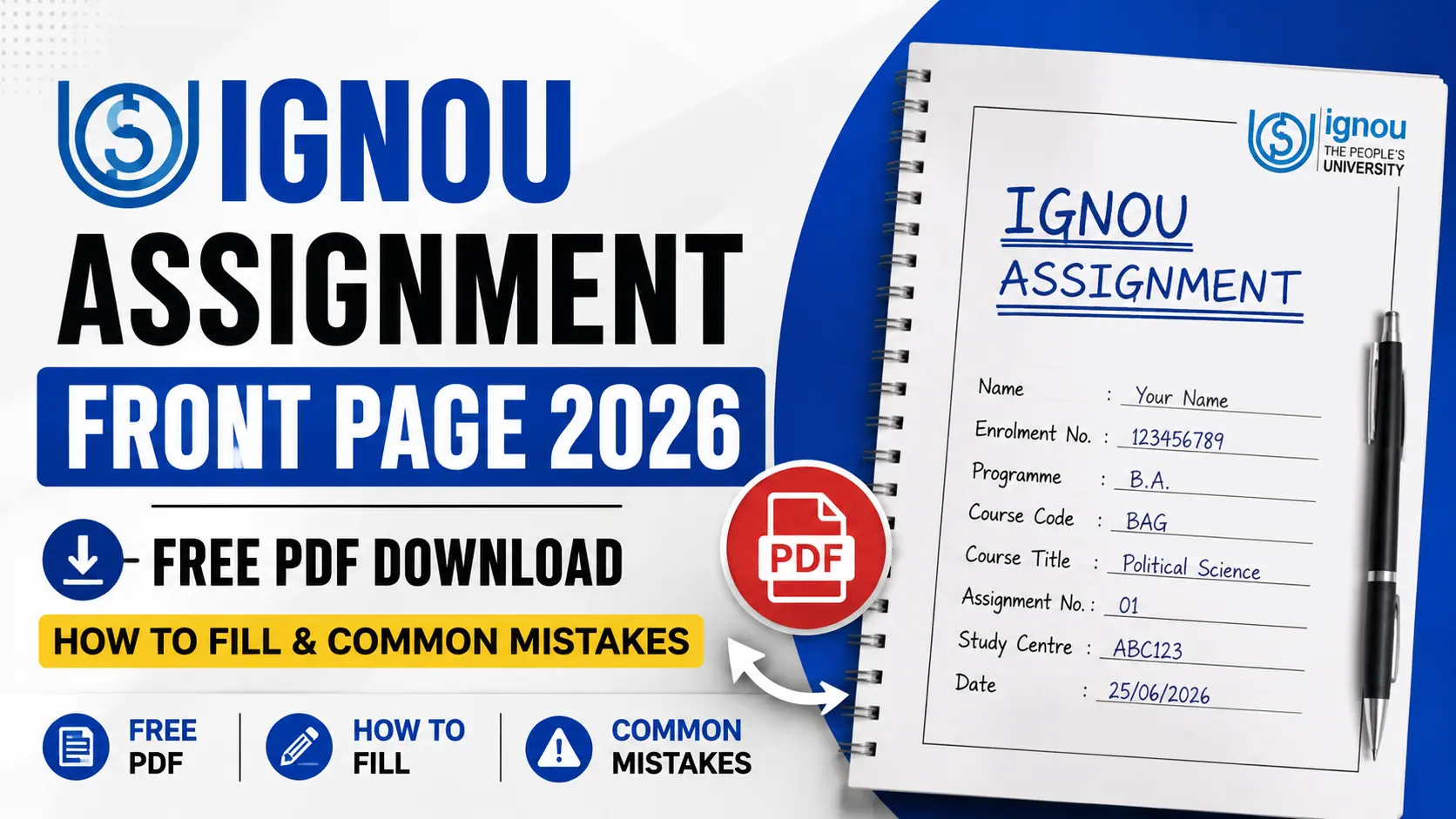
Every year, hundreds of IGNOU students lose marks — or have their entire assignment rejected — not because of poor answers, but because of a wrong or missing front page. A misspelled enrolment number, an incorrect course code, or a missing signature can disconnect your hard work from your records completely. This guide covers everything about the IGNOU Assignment Front Page 2026: what it is, how to fill it correctly field by field, what mistakes to avoid, and where to download a free PDF right now.
What is the IGNOU Assignment Front Page?
The IGNOU Assignment Front Page — also called the IGNOU assignment cover page 2026 — is the first sheet attached to every assignment you submit. It acts as an identification header, telling the evaluator exactly who submitted the work, for which course, under which session, and at which Study Centre. Think of it as a label on a parcel: without it, the parcel cannot be delivered to the right person.
Importantly, this is not the same as a project title page (used for BDP or MCA projects) or a practical file cover (used in B.Ed). Those documents have separate formats. The assignment front page is specific to theory and elective assignment submissions across all IGNOU programmes.
Official Study Materials & Solved Assignments
Why the IGNOU Assignment Front Page Matters — Field-by-Field Consequences
Most guides tell you what to write. This section tells you what goes wrong if you get it wrong — a breakdown no other resource covers in detail.
| Field | What Happens If It's Wrong or Missing |
|---|---|
| Enrolment Number | Your assignment cannot be matched to your student record. Marks remain unuploaded to your grade card — you may appear as "not submitted" even though you did. |
| Programme Code | Evaluators are programme-specific. A wrong programme code may route your paper to the wrong evaluator, causing delays or rejection. |
| Course Code | Each course has a separate assignment. A wrong course code means your evaluation is recorded against a course you may not even be enrolled in. |
| Assignment Code | IGNOU sometimes issues more than one TMA per course. A missing or wrong assignment code means the evaluator cannot confirm which assignment they are grading. |
| Study Centre Code | Assignments are processed at your Study Centre. A wrong code can physically redirect your paper to another centre, where it may be lost. |
| Session | Assignments are valid for a specific academic session. Submitting for the wrong session (e.g., writing 2024–25 instead of 2025–26) can render your submission ineligible for that TEE. |
| Signature | An unsigned assignment is technically incomplete. Some Study Centres reject unsigned papers outright as they cannot verify the student's identity. |
Complete List of Mandatory Fields on the IGNOU Assignment Cover Page 2026
| # | Field Name | What to Write | Example |
|---|---|---|---|
| 1 | Enrolment Number | Your 9 or 10-digit IGNOU enrolment number exactly as registered | 2367891234 |
| 2 | Programme Code | The code for your programme (found on your ID card or admission letter) | BAG |
| 3 | Course Code | The code for the specific course this assignment belongs to | BHIC-131 |
| 4 | Assignment Code | The TMA code printed on the assignment question paper itself | BHIC-131/TMA/2025-26 |
| 5 | Study Centre Code | The 5-digit code of your assigned Study Centre | 07110 |
| 6 | Regional Centre | The name and code of your Regional Centre | Delhi-1 (07) |
| 7 | Student Name | Full name exactly as per IGNOU records | Priya Sharma |
| 8 | Father's / Husband's Name | As registered in IGNOU records | Ramesh Sharma |
| 9 | Address | Current mailing address (used if the paper needs to be returned) | H-14, Sector 7, Rohini, Delhi-110085 |
| 10 | Date of Submission | Actual date on which you are submitting the assignment | 15 March 2026 |
| 11 | Academic Session | The session for which this assignment is submitted | 2025–26 |
| 12 | Signature | Your handwritten signature — mandatory even on typed front pages | (sign here) |
Standard Page Order & Assembly Sequence
Follow this exact order when assembling your assignment before submission. Getting this wrong is one of the most common — and most easily avoidable — mistakes.
- Front Page — filled, signed, and stapled at the top
- Photocopy of your IGNOU Student ID Card (both sides on one page)
- Photocopy of the Assignment Question Paper (the TMA sheet issued by IGNOU)
- Your Answer Sheets — in the order the questions appear
How to Fill the IGNOU Assignment Front Page 2026: Step-by-Step
- Get the correct blank format. Download the official blank front page PDF from this page (Section 9) or collect a printed copy from your Study Centre.
- Check your Enrolment Number first. Open your IGNOU ID card or admission confirmation email and write the number character by character — never rely on memory.
- Find your Programme and Course Codes. Your programme code is on your ID card. Your course code is printed on the assignment question paper.
- Copy the Assignment Code exactly. Look at the top of the TMA question paper — the assignment code appears there (e.g., BHIC-131/TMA/2025-26). Copy it verbatim.
- Locate your Study Centre Code. This is on your admission letter or Study Centre allotment sheet. If unsure, log in to ignou.ac.in and check your student dashboard.
- Write today's date as the submission date — the date you are physically handing over the file at your Study Centre.
- Sign in blue or black ink in the signature field. Do not use a rubber stamp or a printed signature.
Fully Filled Sample (Fictional Student Details)
Programme Code : BAG
Course Code : BHIC-131
Assignment Code : BHIC-131/TMA/2025-26
Study Centre Code : 07110
Regional Centre : Delhi-1 (07)
Student Name : Priya Sharma
Father's Name : Ramesh Sharma
Address : H-14, Sector 7, Rohini, New Delhi – 110085
Session : 2025–26
Date of Submission: 15 March 2026
Signature : Priya Sharma [handwritten]
Alt text for image: IGNOU assignment front page 2026 format — filled sample
Programme-Wise Notes for the IGNOU Assignment Cover Page 2026
BA — Bachelor of Arts General (BAG)
BAG is the most common IGNOU programme. You will use the standard front page format for all AECC, GE, and DSE course assignments. Make sure to use the correct course code for each discipline — BHIC for History, BPCC for Psychology, BEGLA for English, and so on. New BAG students often use BSHF-101 (old course) codes — confirm you are enrolled in the revised CBCS syllabus.
B.Ed (BED)
B.Ed students submit both theory assignments and practical-file-based work. The standard front page is used only for theory TMAs. Practical files have a separate cover sheet as specified by your B.Ed coordinator. Never attach the theory front page to a practical file or the evaluator will be confused.
MBA
MBA assignments (MS-series courses) use the same front page structure, but the assignment codes follow the pattern MS-01/TMA/2025-26. MBA students should also note that some specialisation courses require project work (MS-100) — those have a distinct title page format available from the School of Management Studies.
M.Com
M.Com students fill in IBO or MCO series course codes depending on their electives. The front page format is identical to the standard template. Pay particular attention to specifying the correct session, as M.Com students sometimes continue assignments across sessions during re-admission.
MA (All Disciplines)
MA students across disciplines — MHD, MEG, MPS, MAH, and others — use the standard front page. The only variation is the course code prefix. MA students often enrol in multiple blocks per year; remember that each course block may have a separate TMA and therefore requires its own front page.
IGNOU Assignment Front Page in Hindi (हिंदी माध्यम)
हिंदी माध्यम के छात्रों के लिए
हिंदी माध्यम में पढ़ने वाले छात्र अपना असाइनमेंट फ्रंट पेज पूरी तरह हिंदी में भर सकते हैं। IGNOU के नियमों के अनुसार, यदि आपने हिंदी माध्यम का चयन किया है, तो उत्तर-पुस्तिका एवं आवरण पृष्ठ दोनों हिंदी में स्वीकार्य हैं। नीचे मुख्य फ़ील्ड के हिंदी नाम दिए गए हैं:
नामांकन संख्या (Enrolment Number) · कार्यक्रम कोड (Programme Code) · पाठ्यक्रम कोड (Course Code) · असाइनमेंट कोड (Assignment Code) · अध्ययन केंद्र कोड (Study Centre Code) · छात्र का नाम (Student Name) · पिता / पति का नाम (Father's/Husband's Name) · पता (Address) · जमा करने की तारीख (Date of Submission) · सत्र (Session) · हस्ताक्षर (Signature)
यदि आप हिंदी माध्यम में लिख रहे हैं, तो सुनिश्चित करें कि सभी कोड (जैसे BHIC-131) उसी अंग्रेजी प्रारूप में लिखे जाएं जैसे वे प्रश्नपत्र पर हैं।
Free IGNOU Assignment Front Page PDF Download 2026
Below are three ready-to-use front page formats. Download, print on A4, and fill using blue or black pen. These templates match the standard IGNOU format and are updated for the 2025–26 academic session.
IGNOU Assignment Paper Format & Writing Rules 2026
| Parameter | Requirement |
|---|---|
| Paper Type | A4 size plain white paper (ruled is acceptable for hand-written work) |
| Ink Colour | Blue or black ballpoint or gel pen only |
| Handwriting | Legible cursive or print; avoid very small writing that is hard to read |
| Margins | At least 2.5 cm (1 inch) on all sides; left margin slightly wider for binding |
| Page Numbering | Number each page at the top right corner, starting from page 1 after the front page |
| Answer Structure | Write the question number clearly before each answer. Do not skip questions without noting them. |
| 2-mark questions | 50–80 words per answer |
| 5-mark questions | 150–200 words per answer |
| 10-mark questions | 300–400 words per answer |
| 20-mark questions | 600–800 words per answer |
Common Mistakes That Get IGNOU Assignments Rejected
Alt text for image: IGNOU assignment cover page filled sample — common errors marked
- Writing the wrong session year (e.g., 2024–25 instead of 2025–26)Always double-check the session on the official TMA question paper before writing.
- Using pencil or red ink on the front pageUse only blue or black ballpoint or gel pen on all pages including the cover.
- Leaving the signature field blankAlways sign by hand — even if the rest of the front page is typed and printed.
- Attaching all courses under one front pagePrepare a completely separate file — with its own front page — for every course.
- Copying the wrong assignment code (e.g., from a previous year's paper)Take the assignment code directly from the current year's TMA question paper, not from a friend's old copy.
- Writing an incomplete or incorrect enrolment numberCross-check the number digit by digit against your IGNOU ID card or admission confirmation.
- Not including a photocopy of the ID card and question paperThese documents are mandatory. Photocopy both before submitting and place them after the front page.
- Submitting loose sheets without stapling or bindingStaple or bind all sheets firmly. Loose sheets can get separated and lose the connection to your front page.
- Using a front page format from a previous yearDownload the current 2026 format from this page or from your Study Centre to ensure it matches current requirements.
- Submitting after the deadline without checking for extensionsAlways verify the latest deadline on ignou.ac.in — IGNOU frequently extends submission dates.
IGNOU Assignment Submission Dates 2026
| Examination | Session | Typical Last Date | Status |
|---|---|---|---|
| June TEE 2026 | January 2026 cycle | 31 March 2026 | Check ignou.ac.in for extensions |
| December TEE 2026 | July 2026 cycle | 30 September 2026 | Upcoming — verify official date |
Frequently Asked Questions
Can I type the IGNOU assignment front page instead of writing by hand?
Yes, you can type and print the front page. However, your signature must always be handwritten — a printed or stamped signature is not accepted. Make sure the printed layout matches the official IGNOU format and that all text is clearly legible before submitting.
Do I need a separate front page for each course?
Absolutely yes. Every course requires its own individual front page. Never combine two courses under a single cover page — evaluators handle each course independently. If you are submitting assignments for three courses, you need three separate files, each with its own front page, ID card copy, and question paper copy.
What if my Study Centre has its own front page format?
If your Study Centre has issued a centre-specific format, always use that — it takes priority over the generic IGNOU template available online. If you are unsure whether your centre has its own format, ask the coordinator before submitting. Using the wrong format at such a centre can delay processing.
What happens if I submit an assignment without a front page?
Your assignment may be processed with great difficulty or rejected outright. Without a front page, the evaluator has no way to link your answer sheets to your enrolment number, programme, or course. This can result in your marks never being uploaded to your grade card — you may appear as "not submitted" despite having handed in your work.
Can I submit my IGNOU assignment in Hindi?
Yes. If you registered as a Hindi-medium student, you can write both the front page and your answers in Hindi. IGNOU fully supports regional-medium submissions. Just ensure that all codes — such as the Course Code (e.g., BHIC-131) and Assignment Code — are still written in their original English alphanumeric format, exactly as they appear on the question paper.
Can I use a photocopy of a blank front page from a friend?
Yes, a clear photocopy of a blank front page is perfectly acceptable, as long as you fill in all your own details carefully and correctly. You can also download a blank PDF from the official IGNOU website or from this page and print it yourself — that is the most reliable option to ensure the format is current.
Does IGNOU accept assignments after the submission deadline?
Generally, late submissions are not accepted and your assignment will not be evaluated for that Term-End Examination. However, IGNOU frequently announces deadline extensions of two to four weeks — this happens almost every session. Always check the official IGNOU website (ignou.ac.in) before assuming a deadline has passed, rather than giving up on submission.
What ink colour should I use to fill the front page and answer sheets?
Use blue or black ballpoint or gel pen only — on the front page and throughout your answer sheets. Pencil is not acceptable as it can fade and smudge. Red, green, or any other coloured ink is also not permitted. Write clearly without heavy overwriting; illegible entries can cause data entry errors at the Study Centre level.
What should I do if I made a mistake on the front page after submitting?
Visit your Study Centre as soon as you notice the error and speak to the assignment coordinator. Bring your original enrolment documents and a photocopy of the submitted assignment (this is why keeping a photocopy is so important). In many cases, the coordinator can make a note or issue a correction before the assignments are dispatched for evaluation.
Is one front page enough if I have multiple TMAs for the same course?
No. If a course has more than one TMA (for example, TMA-1 and TMA-2), each TMA must have its own front page with the correct assignment code for that specific TMA. Submitting both TMAs under a single front page can cause one of them to go unrecorded.
You're Ready — Don't Skip the Photocopy
The IGNOU Assignment Front Page 2026 is a small document with enormous consequences. Fill it carefully, follow the correct assembly order (front page → ID copy → question paper → answers), and submit one file per course before the deadline. The most important habit you can build right now: always keep a photocopy of your entire submission — front page included — before handing it in. If a dispute arises, your photocopy is your proof.
Now that your front page is sorted, head to our Solved Assignments guide to prepare your answers, and bookmark the IGNOU Grade Card checker so you can verify your marks once results are published. Good luck!