

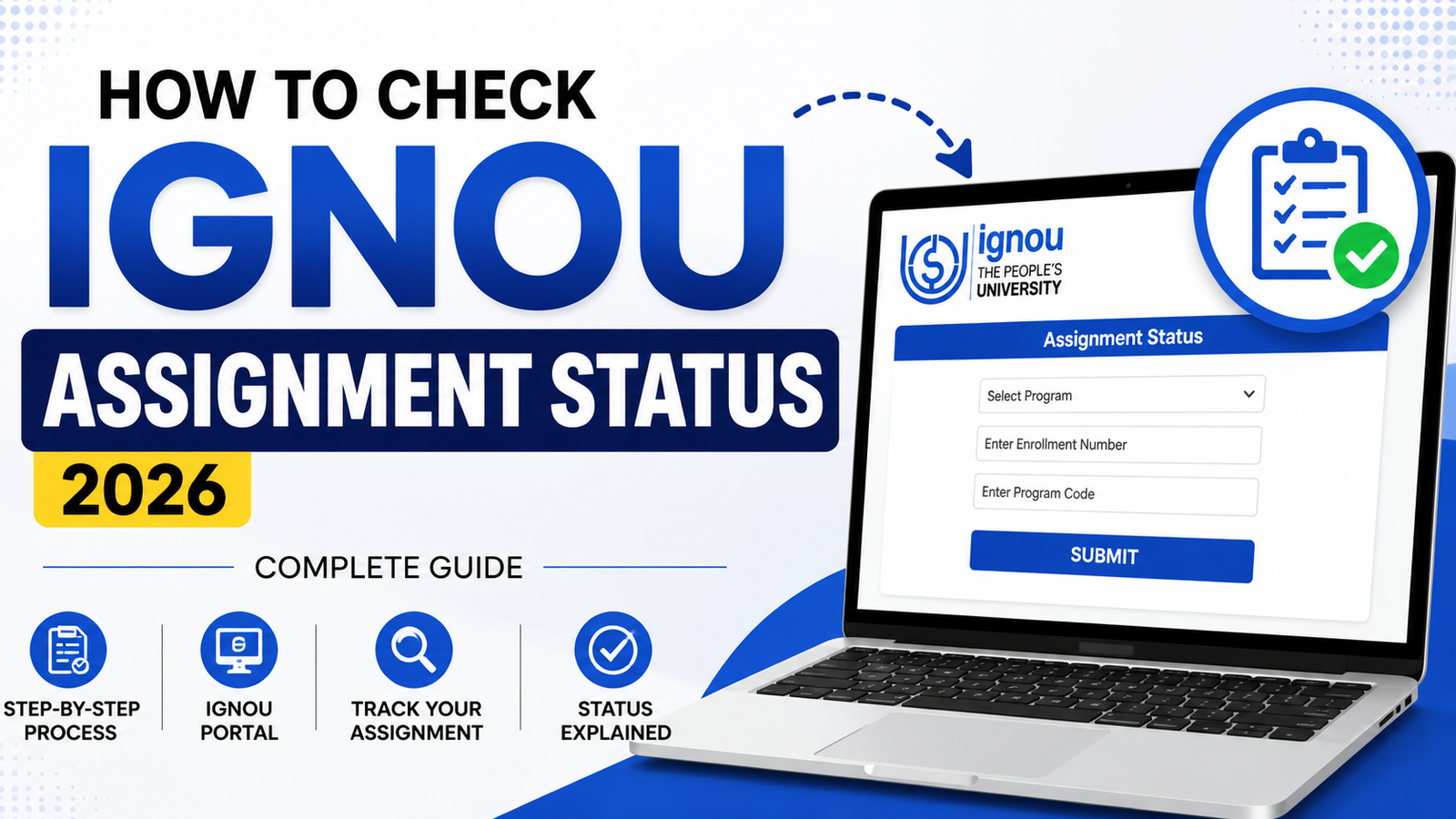
IGNOU students always look for how to get information if their assignments are accepted and their marks will be creddited or not. If you also don't have any information about how to know about your ignou assignment submission status. Then you are on the right place now you can check your ignou assignment status easilly from our website. Now we implemented a new tool on our website that directly works and syncs data from ignou.
If you want to check the exact status of your assignments, you can check this by visiting this link on this website you just need to enter your enrollment number and programme code. After doing this our ignou assignment status tool fetch live details about your assignments and show all the details.

Official Study Materials & Solved Assignments
- Go to our assignment status portal (Assignment Status) or your student login
- Enter Enrollment
- Select your course code
- Find your assignment and click View Status
- Status appears instantly

Your assignment status shows real-time updates. The most common statuses take 2-9 weeks total to move from submitted to evaluated.
If your assignment is taking longer than expected, jump to the Troubleshooting section below to find your specific situation.
Why You're Actually Here: The Stress of Not Knowing
Let's be honest. You submitted your assignment weeks ago and you're wondering:
- "Is my assignment lost?"
- "Why hasn't my teacher started evaluating it?"
- "How long should this actually take?"
- "What does 'Pending Review' even mean?"
The confusion isn't your fault. IGNOU's system has multiple portals, unclear status labels, and vague timelines. Most students end up Googling variations of "IGNOU assignment status" multiple times because nothing makes sense.
This guide changes that. After reading this, you'll understand exactly what your status means, how long it should take, and what to do if something's wrong.
Step-by-Step: How to Check Your Assignment Status
Step 1: Login to Your Portal
Samarth Portal (Recommended - Newer System):
- Go to samarth.ignou.ac.in
- Enter your enrollment number (format: YYYY1234567)
- Enter your password
- Click Login
Alternative: Old Student Portal
- Go to student.ignou.ac.in (if Samarth is down)
- Note: Old portal updates slower, so Samarth is preferred
Screenshot needed here: Portal login page with enrollment number highlighted
Step 2: Navigate to Assignment Section
Once logged in, you'll see your Dashboard.
In Samarth Portal:
- Click Academic (in left sidebar)
- Click Assignment
- You'll see all your courses listed
Screenshot needed: Dashboard with Academic > Assignment path highlighted
Step 3: Select Your Course
You'll see a list of your current courses. Look for the course code (like IGNOU-BED-101, BA-ENG-01, etc.).
Click on your course to expand it and see all assignments for that course.
Screenshot needed: Course list showing multiple courses with course codes
Step 4: Find Your Assignment and Click "View Status"
Under each course, you'll see your assignments listed with:
- Assignment number (usually Assignment 1, 2, or 3)
- Due date
- Status button
Click the assignment title or View Status button.
Screenshot needed: Assignment list under a single course
Step 5: Understand What You're Looking At
The status page shows:
- Assignment Code: Unique identifier (e.g., ASST-101-2026)
- Submission Date: When you uploaded it
- Current Status: What stage it's in right now
- Marks (if evaluated): Will show here when complete
Screenshot needed: Status page with all fields labeled and annotated
The Assignment Status Decoder: What Each Status REALLY Means
This is the critical section. Understanding these statuses will eliminate 90% of your stress.
"Not Submitted"
What it means: You haven't uploaded your assignment yet.
Should you worry? YES - Action required immediately.
Timeline: You have until the deadline (check your course portal for exact date).
What to do: Follow our Assignment Submission Guide to submit immediately. Missing the deadline = automatic zero.
Real student example: "I thought 'Not Submitted' meant the teacher hadn't received it yet. Turns out I never actually uploaded the file. Panic mode for 2 hours until I submitted it."
"Submitted"
What it means: Your file has been uploaded successfully to the system.
Should you worry? NO - This is normal.
Timeline: This status usually lasts 2-3 days while the system registers your submission.
What happens next: Status will change to "Pending Review" once your teacher has access to it.
What to do: Take a screenshot of this screen for your records. You don't need to do anything else.
Pro tip: If you don't see a confirmation email within 2 hours, the submission might have failed silently. Check back in a few hours. If still "Not Submitted," try uploading again.
"Pending Review" ⏳ (THE LONGEST STAGE)
What it means: Your teacher has your assignment and is looking at it.
Should you worry? NO - But this stage lasts the longest (4-8 weeks typical).
Timeline:
- Fast teachers: 3-4 weeks
- Average: 5-6 weeks
- Slow teachers: 8-10 weeks
- Project-based courses: 10-12 weeks
Why so long? Teachers work part-time at IGNOU. Many have other jobs. Your assignment is in a queue with 50+ others.
What to do: Wait. Don't bug your teacher yet. This is normal.
When to contact teacher: After 8 weeks with no update, send a polite email asking for status.
Real student example: "My assignment was stuck on 'Pending Review' for 9 weeks. I thought it was lost. Contacted my teacher in week 9, she said she was just behind on grading. Got marks 3 days later."
"Under Evaluation"
What it means: Official evaluation process is happening. This might include plagiarism checking, peer review, or final grading verification.
Should you worry? NO - This is a good sign (means teacher is actually working on it).
Timeline: 2-4 weeks (faster than Pending Review).
What happens next: Status will change to "Evaluated" once complete.
What to do: Wait. This stage is usually faster than "Pending Review."
Common for: Assignments with high plagiarism potential, project work, or research papers.
"Evaluated"
What it means: Your teacher has graded it and marks are assigned. System is processing the marks before making them official.
Should you worry? NO - Marks are done!
Timeline: 2-3 days for system to sync and update your results.
What to do: Check back in 2-3 days. Your status will change to "Marks Updated" and you can see your grade.
What happens next: Status changes to "Marks Updated" and your grade becomes visible in Results.
"Marks Updated"
What it means: Your grades are now official and visible in your results and grade card.
Should you worry? NO - You got your marks!
Timeline: Immediate. Visible right now.
What to check:
- Click Results to see your actual grade
- Click Grade Card to see official record (updates within 24-48 hours)
What if marks are low? You can request re-evaluation through your regional center (details in section below).
What to do: Celebrate? Or plan how to do better on the next assignment.
The Typical Timeline: How Long Does Each Stage Actually Take?
Here's what a normal assignment journey looks like:
WEEK 1-2:
├─ You submit → Status shows "Submitted"
└─ System registers (2-3 days)

WEEK 2-7:
├─ Teacher starts grading → Status shows "Pending Review"
└─ Longest stage (4-6 weeks typical)

WEEK 7-8:
├─ Plagiarism check + final review → "Under Evaluation"
└─ Faster (2-4 weeks)

WEEK 8-9:
├─ Marks entered → "Evaluated"
└─ Very quick (2-3 days)

WEEK 9-10:
├─ System syncs → "Marks Updated"
└─ Visible immediately in results

TOTAL TIME: 6-10 weeks average
For different course types:
- Theory courses (mostly reading): 4-6 weeks
- Practical courses: 6-8 weeks
- Project-based courses: 8-12 weeks
When Your Assignment Status is Stuck: Troubleshooting Guide
Scenario 1: Stuck on "Submitted" for 4+ Weeks
Diagnosis: Submission might not have registered properly.
Your action plan:
- Try submitting the same assignment again
- If you get an error like "Already submitted," contact support immediately
- Take a screenshot of the error
- Email your regional center with:
- Course code
- Assignment code
- Screenshot of error
- Submission date
Timeline to resolve: Usually 24-72 hours
Scenario 2: Stuck on "Pending Review" for 8+ Weeks
Diagnosis: Teacher is behind on grading (unfortunately common).
Your action plan:
- Send your teacher a polite email:
"Hello [Teacher Name], I submitted assignment [code] on [date]. Just checking if there's any update on evaluation timeline. No rush, just wanted to follow up. Best regards, [Your Name]"
- If no response after 3 days, contact your regional center academic coordinator
- Ask them to check the status and follow up with your teacher
Timeline to resolve: 3-7 days usually
Scenario 3: Status Shows "Not Submitted" but You DID Submit
Diagnosis: Submission failed silently (happens occasionally with portal glitches).
Your action plan:
- Check your email: Do you have a submission confirmation email?
- If yes: Screenshot it immediately
- Try submitting again (you might get a "already submitted" error, which proves it went through)
- If resubmit fails with "already submitted" error: Contact support with your confirmation email
- If no confirmation email: Try submitting again immediately
Timeline to resolve: 24-48 hours
Scenario 4: Assignment Disappeared / Can't Find It
Diagnosis: Usually a display glitch or you're looking in wrong semester.
Your action plan:
- Log out completely
- Clear your browser cache (or use incognito window)
- Log back in
- Verify you're looking at current semester (not previous)
- Search by assignment code if available
- Try a different browser
- If still missing: Contact support
Timeline to resolve: Usually 24 hours
Scenario 5: Status Shows "Evaluated" but Marks Not in Results Yet
Diagnosis: System sync delay (normal).
Your action plan:
- Wait 3-5 days (system updates overnight)
- Check Results section, not just Assignment Status
- Clear browser cache if still not showing
- Try logging in from different browser
- If delayed beyond 7 days: Contact support
Timeline to resolve: Usually 3-5 days automatic update
Common Questions Students Ask About Assignment Status
Q: Can I see marks in assignment status before they show up in Results? A: Yes. Status page shows marks before the Results section updates. Results section updates 24-48 hours after status shows "Marks Updated."
Q: What if my assignment status went backward? It said 'Evaluated' now says 'Pending Review' again? A: Rare bug but it happens. Screenshot it immediately and report to support. They can usually fix it within 24 hours.
Q: Why does my status show different in old portal vs Samarth portal? A: They're different databases that sync every 24-48 hours. Samarth is newer and updates faster. Always use Samarth if possible.
Q: How long after 'Marks Updated' until I see my grade in grade card? A: Grade card updates within 24-48 hours. Sometimes takes up to 72 hours during peak result declaration periods.
Q: Can I dispute my marks after seeing them? A: Yes, through re-evaluation process. Contact your teacher within 30 days if you think there's a grading error.
Q: Can I check status on mobile? A: Yes, Samarth portal works perfectly on mobile. Use the Samarth app (if available) for better experience, or mobile web browser.
Q: Do different courses have different status timelines? A: Yes. Theory courses: 4-6 weeks. Practical: 6-10 weeks. Projects: 10-12 weeks. Check with your study center for specific course info.
Q: What if my assignment shows 0 marks or F grade? A: This is a legitimate grade (low but passing). Status still shows "Marks Updated." You can request re-evaluation if you think there's an error.
Pro Tips to Reduce Assignment Status Anxiety
✅ Screenshot your submission receipt immediately - Proof it went through.
✅ Don't check status daily - It's not real-time-real-time. Checking daily increases anxiety without providing new info.
✅ Check every 3-5 days instead - Balanced approach. You'll catch updates without obsessing.
✅ Set a phone reminder for Week 8 - If no update by then, time to follow up with teacher.
✅ Join WhatsApp groups - Ask others about their status. Usually helps you relax knowing others are in same situation.
✅ Contact teacher at Week 6, not Week 12 - Follow up early if stuck. Don't wait until panic mode.
✅ Document everything - Save emails, screenshots, dates. Useful if you need to escalate issue.
✅ Don't assume it's lost - 99% of the time, it's just slow, not actually missing. Teachers usually update eventually.
Next Steps: What to Do Now
If your status is "Not Submitted": → Read IGNOU Assignment Submission Guide to submit immediately.
If your status is "Submitted" or "Pending Review": → Wait patiently. Check every 3-5 days. If stuck beyond 8 weeks, contact teacher.
If your status is "Marks Updated": → Check IGNOU Results 2026 to see your actual grade. → Check How to Understand Your Grade Card to interpret your marks.
If something seems wrong: → Jump to the Troubleshooting section above for your specific situation.
FAQs: The Questions We Get Asked Every Day
Can I resubmit my assignment if the status is already "Submitted"? Only if the teacher marks it "Resubmission Required" after evaluation. Otherwise, no. System doesn't allow it.
What happens if I miss the deadline? Can I submit late? No. Portal closes at exactly the deadline time. Late submissions are rejected automatically. No exceptions (usually).
How do I know if my teacher actually received my assignment? If status shows "Submitted," it reached the system. If you get a confirmation email within 2 hours, 99% sure teacher can see it. If no email within 2 hours, the submission might have failed.
Why is assignment status different from my actual grade? Assignment status = current evaluation stage. Your actual marks show in Results and Grade Card. They sync within 24-48 hours after "Marks Updated."
Can multiple assignments from different courses be submitted at same time? Yes, absolutely. You can submit Assignment 1 from Course A and Assignment 2 from Course B on the same day. Portal handles multiple submissions fine.
What if my course has no assignments? Some IGNOU courses are exam-only with no assignments. Nothing to worry about. You'll only see "Not Applicable" or nothing in the Assignment section.
Do I get partial credit if I submit incomplete work? Teachers evaluate what you submit. Incomplete work gets low marks, not automatic fail. But incomplete usually means low marks (C or D grade typical).
Don't Forget: Bookmark This Page
Assignment status questions come back every semester. Bookmark this guide now so you can find it again when next semester hits and you're wondering "how long should assignment status take?"
You're also welcome to save this article offline or print it for reference.
Still Stuck? Get Help
If you've read everything above and your situation still isn't covered:
- Check your regional center website - They often have helpful guides specific to your area
- Email your teacher directly - Use the email in the course materials
- Contact IGNOU support - Main helpline or WhatsApp (if available)
- Ask in student forums - Reddit r/IGNOU or WhatsApp groups usually have answers fast
What to Read Next
Now that you understand assignment status, here are related guides that will help you:
- How to Submit IGNOU Assignment - Complete step-by-step submission process
- IGNOU Results 2026 - Check your exam results and grades
- How to Check IGNOU Grade Card - Understand what your grades mean
- Samarth Portal Complete Guide - Master the new IGNOU portal
Questions? Comments? Did something in this guide help you?
Drop a comment below and let me know what's your assignment status right now. I read every comment and will help troubleshoot your specific situation.
Help other students: Share this guide with your classmates. Assignment status confusion is universal—they'll appreciate it.